AI Chat for Business
AI chat tools are becoming a practical part of everyday business work. Instead of using AI only for writing, companies can now use chat-based AI to research information, summarize documents, answer employee questions, prepare customer responses, analyze data, and support routine workflows.
The biggest advantage is simple: employees can interact with business information using natural language instead of searching through dozens of files, emails, applications, and websites.
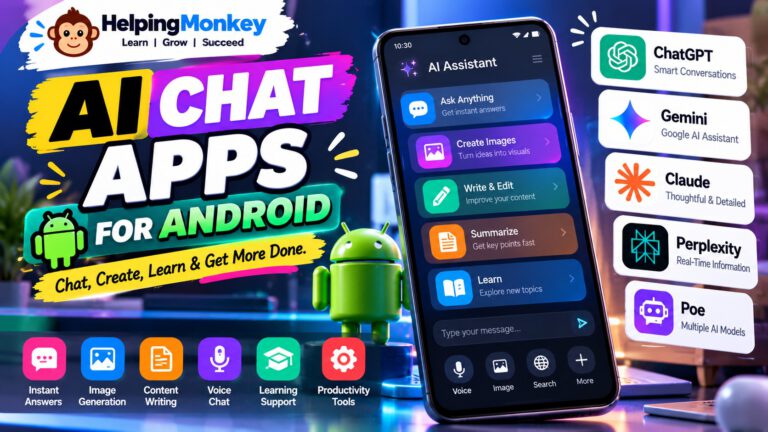
Tools such as ChatGPT Business, Microsoft 365 Copilot, Google Gemini, Claude, and Perplexity are making AI chat useful for teams of different sizes. The right choice depends largely on the tools your business already uses and the type of work you want AI to handle.
🎯 What Can AI Chat Do for a Business?
AI chat can help with many tasks that normally take employees significant amounts of time:
- 💬 Draft customer emails and replies
- 📄 Summarize reports, documents, and meeting notes
- 🔎 Research competitors, markets, and products
- ✍️ Create business content and marketing copy
- 📊 Explain spreadsheets and business data
- 🧠 Brainstorm ideas and solve business problems
- 📨 Rewrite professional emails and proposals
- 👥 Answer internal employee questions
- 🗂️ Find information across business documents
- ⚙️ Support repetitive workflows and processes
The real value comes when AI becomes part of the normal workday rather than being used as a separate website employees occasionally visit.
💼 Why Businesses Are Using AI Chat
Businesses are adopting AI chat because employees spend a large amount of time working with information.
An employee may need to read a long document, find a particular detail, write an email, summarize a meeting, research a topic, and then turn the information into a presentation.
AI chat can assist with many of these steps.
For example, instead of asking an employee to manually summarize a 30-page report, a business can use an AI assistant to identify the important points and then ask follow-up questions.
This creates a more conversational way of working with information.
🤖 ChatGPT
ChatGPT is one of the strongest general-purpose AI chat options for businesses. ChatGPT Business provides teams with a shared workspace, company context, administrative controls, and business-focused features. OpenAI also offers workspace agents that can perform recurring tasks and work across connected tools.
Best for: General business productivity, writing, research, brainstorming, analysis, and AI-assisted workflows.
Where it can help:
- ✍️ Draft proposals, emails, reports, and business content
- 🔎 Research markets and competitors
- 📄 Analyze uploaded business documents
- 🧠 Brainstorm strategies and ideas
- 📊 Help interpret business information
- ⚙️ Build repeatable AI-assisted workflows
💡 Business tip: Create separate instructions or workflows for recurring tasks such as sales research, customer support, content creation, or weekly reporting.
| Pros | Cons |
|---|---|
| ✅ Strong general-purpose AI | ❌ Teams need clear usage guidelines |
| ✅ Useful for many departments | ❌ AI output still needs review |
| ✅ Business workspace and admin features | ❌ Advanced features may require paid plans |
| ✅ Supports complex reasoning and writing | ❌ Not every workflow should be fully automated |
🪟 Microsoft 365 Copilot
Microsoft 365 Copilot is particularly useful for businesses already working heavily with Microsoft 365. It integrates AI into applications such as Word, Excel, PowerPoint, Outlook, and Teams, while business plans can connect AI assistance with organizational data and workflows.
Best for: Microsoft-based businesses and teams working with Word, Excel, Outlook, PowerPoint, and Teams.
Where it can help:
- 📧 Draft and summarize emails in Outlook
- 📊 Work with information in Excel
- 📄 Create and edit documents in Word
- 📑 Prepare presentations
- 💬 Assist with Teams-based work
- 🔎 Search and work with business information
💡 Business tip: If your company already relies heavily on Microsoft 365, evaluate Copilot before adding a completely separate AI platform.
| Pros | Cons |
|---|---|
| ✅ Deep Microsoft 365 integration | ❌ Best value comes inside the Microsoft ecosystem |
| ✅ Useful across common business applications | ❌ Licensing can become expensive for larger teams |
| ✅ Business data and security controls | ❌ Some features require additional licenses |
| ✅ Useful for productivity and analysis | ❌ Employees still need training |
✨ Google Gemini
Google Gemini is a strong choice for businesses built around Google Workspace. Gemini is available across services such as Gmail, Docs, Drive, Sheets, and Meet, allowing employees to use AI within tools they already use every day. Google also offers AI-powered workflow automation through Workspace Studio.
Best for: Google Workspace users and businesses that rely on Gmail, Docs, Drive, Sheets, and Meet.
Where it can help:
- 📧 Draft and summarize Gmail messages
- 📄 Work with documents in Google Docs
- 📊 Analyze information in Sheets
- 📝 Summarize meetings
- 🔎 Find information across business files
- ⚙️ Create AI-powered workflows
💡 Business tip: Start with one department—such as sales, HR, or marketing—and identify repetitive Workspace tasks where Gemini can save time.
| Pros | Cons |
|---|---|
| ✅ Strong Google Workspace integration | ❌ Best suited to Google-centric organizations |
| ✅ Useful across Gmail and Docs | ❌ Feature availability varies by plan |
| ✅ AI-powered workflow options | ❌ AI results still require verification |
| ✅ Business-focused privacy controls | ❌ Advanced capabilities may require higher plans |
🧠 Claude
Claude is particularly useful for businesses that work with long documents, detailed instructions, research, and complex written material.
It can be useful when employees need to analyze information carefully rather than simply generate short answers.
Best for: Long-form business analysis, documents, research, and detailed writing.
Where it can help:
- 📄 Analyze lengthy business documents
- 📝 Improve reports and proposals
- 🔎 Research complex topics
- 🧠 Brainstorm business strategies
- 📚 Extract important information from documents
- 💬 Develop detailed internal explanations
💡 Business tip: Give Claude the business context first, then ask it to analyze the problem. Better context generally produces more useful results.
| Pros | Cons |
|---|---|
| ✅ Strong writing capabilities | ❌ May not integrate with every business system |
| ✅ Useful for detailed analysis | ❌ Some advanced features require paid plans |
| ✅ Good for document-heavy work | ❌ Outputs still need human review |
| ✅ Natural conversational experience | ❌ Not necessarily the best choice for every workflow |
🔎 Perplexity
Perplexity is useful when employees need AI-assisted research rather than simply generating content.
It combines conversational search with source-based answers, making it useful for researching markets, competitors, industries, products, and current topics.
Best for: Business research and finding information quickly.
Where it can help:
- 🔎 Competitor research
- 📈 Market research
- 📰 Industry research
- 🧠 Business brainstorming
- 🌐 Finding current information
- 📚 Exploring sources for reports
💡 Business tip: Ask specific research questions and review the cited sources before using important information in a business decision.
| Pros | Cons |
|---|---|
| ✅ Strong research experience | ❌ Sources should still be verified |
| ✅ Useful for current information | ❌ Not a complete business productivity suite |
| ✅ Conversational search | ❌ Advanced business features may require paid plans |
| ✅ Helpful for research teams | ❌ Search results can vary by query |
📌 How to Choose the Right AI Chat Tool for Your Business
There isn’t one AI chat tool that is automatically best for every company.
A better approach is to look at your existing business environment.
If your employees spend most of their time in Microsoft 365, Microsoft 365 Copilot may be the natural starting point.
If your organization runs primarily on Google Workspace, Gemini may fit more naturally.
If you want a flexible general-purpose AI workspace that can support many different types of business work, ChatGPT Business is worth considering.
For research-heavy work, Perplexity can be useful, while Claude can be particularly valuable for detailed documents and analysis.
🔐 What Should Businesses Check Before Using AI Chat?
Businesses should think about more than just how impressive an AI chatbot is.
Before rolling out an AI tool, consider:
- 🔒 How business data is handled
- 👥 Who can access company information
- 🛡️ Available administrative controls
- 📋 Data retention and privacy policies
- 🔗 Which business applications can be connected
- ⚙️ What tasks can be automated
- 👨💼 Where human approval is required
- 📚 How employees will be trained
AI should support employees without removing important human oversight.
🚀 How to Introduce AI Chat to a Business
The easiest way to start is not to give employees dozens of AI tools.
Start with a specific business problem.
For example:
Step 1 — Identify repetitive work
Find tasks employees perform every week, such as email drafting, report summaries, research, or meeting notes.
Step 2 — Choose one AI tool
Select the platform that fits your existing business software.
Step 3 — Test it with a small team
Run a controlled pilot before introducing it company-wide.
Step 4 — Create simple guidelines
Explain what employees can use AI for and what information should not be entered.
Step 5 — Review the results
Measure whether the tool actually saves time or improves the quality of work.
Step 6 — Expand gradually
Once a workflow works reliably, introduce AI into additional departments.
⚠️ What AI Chat Should Not Replace
AI chat can be extremely useful, but businesses should not treat it as an automatic decision-maker.
Important decisions involving:
- 💰 Financial commitments
- ⚖️ Legal matters
- 👥 Hiring and employment
- 🔐 Sensitive company information
- 🤝 Important customer relationships
- 📊 Major strategic decisions
should receive appropriate human review.
AI can provide suggestions and analysis, but responsibility should remain with people.
🏆 Best AI Chat for Business at a Glance
| AI Tool | Best For | Ideal Business |
|---|---|---|
| 🤖 ChatGPT | General business AI | Most businesses |
| 🪟 Microsoft 365 Copilot | Microsoft 365 productivity | Microsoft-based companies |
| ✨ Gemini | Google Workspace | Google-based companies |
| 🧠 Claude | Documents and analysis | Research and knowledge teams |
| 🔎 Perplexity | Business research | Marketing, strategy, and research teams |
💡 The Most Important Thing to Remember
The goal of AI chat for business isn’t to replace every employee task with AI.
The goal is to remove unnecessary repetitive work so employees can spend more time on activities that require judgment, creativity, communication, and decision-making.
The best AI tool is usually the one that fits naturally into the way your team already works.
Start small, choose practical use cases, protect company information, and keep humans involved where decisions matter.
❓ Frequently Asked Questions
1. What is AI chat for business?
AI chat for business refers to conversational AI tools that help employees with tasks such as research, writing, document analysis, customer communication, data interpretation, and workflow assistance.
2. Which AI chat is best for business?
There is no single best option. ChatGPT is a strong general-purpose choice, Microsoft 365 Copilot fits Microsoft environments, Gemini works well with Google Workspace, Claude is useful for detailed analysis, and Perplexity is strong for research.
3. Can small businesses use AI chat?
Yes. Small businesses can use AI chat for emails, marketing, research, customer support, proposals, documentation, and administrative work without needing a large AI team.
4. Can AI chat access company information?
Some business AI platforms can connect to organizational data and business applications, depending on the product and plan. Businesses should review permissions, security controls, and data-handling policies before enabling these connections.
5. Can AI chat automate business tasks?
Yes. Some platforms now support AI agents and workflow automation. For example, OpenAI describes workspace agents that can run recurring tasks and take actions across connected tools, while Microsoft and Google also provide business-focused agent and workflow capabilities.
6. Should businesses rely completely on AI chat?
No. AI should assist employees rather than replace human judgment for important business, financial, legal, security, or people-related decisions.
7. Is AI chat useful for customer support?
Yes. AI can help draft responses, summarize customer conversations, create knowledge-base content, and assist support teams. However, sensitive or complex customer issues should still be reviewed by a human.