How to Use ChatGPT
ChatGPT has made it easier to write content, learn new skills, solve problems, plan activities, and complete everyday tasks with the help of artificial intelligence. But if you are new to ChatGPT, you may wonder how to start a conversation, what to type, and how to get useful answers.
The good news is that you don’t need programming knowledge or special commands to use ChatGPT. You can communicate with it in simple, natural language.
In this guide, you’ll learn how to use ChatGPT step by step, write better prompts, upload files, explore useful features, and apply AI to everyday tasks.
🤖 What Do You Need to Use ChatGPT?
To get started, you need a device with a supported browser or the official ChatGPT app. Internet access is generally needed for the online service. Some features, usage limits, and models depend on your account, subscription, platform, and region.
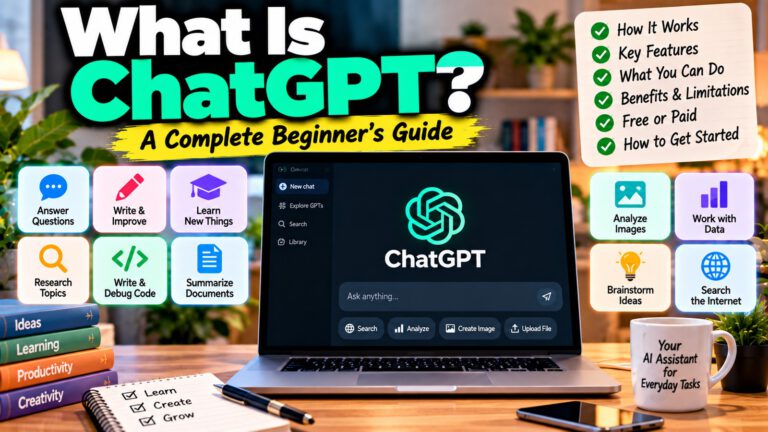
ChatGPT can help with tasks such as writing, learning, brainstorming, coding, planning, research, and analyzing supported files or images. (OpenAI Help Center)
🚀 How to Get Started With ChatGPT
Follow these simple steps.
Step 1: Open ChatGPT
Visit ChatGPT.com in your browser, or install the official ChatGPT app from your device’s app store.
Step 2: Sign in if required
Follow the instructions on the screen. Account requirements and available access can vary by region and experience.
Step 3: Start a new chat
Open a new conversation when you want to begin a different task.
Step 4: Type your question
Enter your request in the message box. You can ask a question, give an instruction, share rough notes, or describe a task you want to complete.
Step 5: Review the answer
Read the response and check whether it meets your needs.
Step 6: Ask a follow-up question
If the answer isn’t quite right, explain what needs to change. For example, ask ChatGPT to simplify the explanation, add examples, shorten the answer, or change its format.
You don’t need to write the perfect prompt on your first attempt. ChatGPT works through conversation, so you can refine your request as you go. (OpenAI prompting guide)
💬 How to Ask ChatGPT Questions
The simplest way to use ChatGPT is to ask a clear question.
For example, you can type:
- “What is artificial intelligence?”
- “Explain cloud computing in simple English.”
- “What is the difference between RAM and storage?”
- “Teach me five English words with Telugu meanings.”
- “Explain how a firewall works with an example.”
If the first response is too technical, follow up with:
“Explain this in simple English as if I am a beginner.”
If you want a practical explanation, try:
“Explain this topic with three real-world examples and a short summary.”
The more clearly you explain what you want to understand, the easier it is for ChatGPT to tailor the response.
✍️ How to Use ChatGPT for Writing
ChatGPT can help you draft, rewrite, summarize, and improve written content.
You can use it for emails, blog posts, product descriptions, social media captions, applications, reports, and messages.
Example prompt:
Write a professional email requesting leave for two days. Keep it polite, simple, and under 120 words.
You can also improve existing writing:
Rewrite the following paragraph in clear, professional English without changing its meaning: [paste your paragraph].
For blog writing, provide details such as the topic, target audience, tone, approximate length, and sections you need.
Practical tip: Treat the first response as a draft. Review the content, check important facts, and request revisions before publishing or sending it.
📚 How to Use ChatGPT for Learning
ChatGPT can explain topics, generate practice questions, and help you learn step by step.
For example, you can use it to study English, programming, cybersecurity, mathematics, or general knowledge.
Example prompt:
Teach me networking from beginner level. Explain one topic at a time, give a practical example, and ask me three questions before moving to the next topic.
You can also request:
- Simple explanations
- Practice exercises
- Quizzes
- Flashcards
- Revision notes
- Study schedules
- Interview questions
- Vocabulary with meanings
If you’re struggling with a concept, ask ChatGPT to explain it using an analogy or a real-world example.
🔎 How to Use ChatGPT for Research
ChatGPT can help you understand a subject, organize information, compare options, and summarize findings.
When web search is available, you can ask it to find current information and provide sources. For complex research, Deep Research may be available to investigate a topic across multiple sources and produce a structured report. Availability depends on your account and current product features. (OpenAI ChatGPT Search, Deep Research FAQ)
Example prompt:
Research the latest AI tools for small businesses. Compare their main features, pricing pages, advantages, limitations, and official sources. Clearly identify anything you cannot verify.
For important research, open the cited sources yourself. AI-generated answers and citations can contain mistakes or omissions.
📄 How to Upload Files to ChatGPT
In supported experiences, you can attach a document or other supported file and ask questions about its contents.
A typical workflow is:
- Open a conversation.
- Select the attachment or file-upload control if available.
- Choose your file.
- Explain what you want ChatGPT to do with it.
- Review the response against the original file.
Example prompts:
Summarize this PDF in 10 important points.
Extract all deadlines and requirements from this document.
Analyze this spreadsheet and identify the main trends.
Explain this report in simple English.
File types, file-size limits, and analysis features vary. For important documents, verify extracted details against the original.
🖼️ How to Use ChatGPT With Images
If image input is available, you can upload an image and ask ChatGPT to analyze it.
For example:
- “Explain this chart.”
- “Read the text in this screenshot.”
- “Help me understand this error message.”
- “Describe the objects in this image.”
- “Compare these two product images.”
ChatGPT also supports image generation in supported experiences. You can describe the image you want, then ask for changes to the composition, style, colors, or layout. (OpenAI image-generation guide)
Example image prompt:
Create a modern featured image for a blog post titled “Best AI Tools for Students.” Use a clean blue-and-purple color scheme, a 16:9 layout, readable typography, and simple technology icons.
Always review generated images for incorrect text, visual errors, and unintended details.
🎙️ How to Use ChatGPT Voice
Voice conversations are useful when you prefer speaking instead of typing.
In supported apps or experiences, select the voice feature and speak naturally. You can ask questions, practice conversations, or continue a discussion using your voice.
Example uses:
- Practice spoken English
- Rehearse an interview
- Ask questions while learning
- Brainstorm ideas
- Practice customer conversations
Example prompt:
Act as my English-speaking practice partner. Ask me one everyday question at a time, wait for my answer, and suggest corrections in simple English.
Voice availability and limits depend on the product, account, and settings.
💻 How to Use ChatGPT for Coding
ChatGPT can explain programming concepts, generate code, troubleshoot errors, and help you understand existing projects.
You can use it for languages such as Python, JavaScript, PHP, SQL, Java, and others.
Example prompt:
Write a simple Python program that reads a CSV file and calculates the average value in a selected column. Explain the code line by line.
For debugging, include the relevant code, the exact error message, what you expected to happen, and what actually happened.
Avoid sharing passwords, API keys, private credentials, or confidential source code unnecessarily. Test generated code before using it in production.
📅 How to Use ChatGPT for Daily Planning
ChatGPT can help turn a list of responsibilities into a realistic schedule.
You can ask it to organize study time, work tasks, exercise, meals, errands, and personal activities.
Example prompt:
Create a weekday schedule for me. I have eight hours of work, one hour for learning, 30 minutes of exercise, and personal tasks. Include reasonable breaks and time for meals.
You can also use it to create:
- Daily checklists
- Weekly plans
- Travel itineraries
- Meal plans
- Shopping lists
- Project timelines
- Habit trackers
Review the schedule and adjust it to fit your actual commitments.
🎯 How to Write Better ChatGPT Prompts
A prompt is the question, instruction, or goal you give ChatGPT.
You don’t need a special formula, but clear instructions can improve the relevance of the response. OpenAI recommends being specific, providing useful context, describing the desired output, and refining the answer through follow-up messages. (OpenAI prompting guide)
A useful prompt can include these elements:
Task: What should ChatGPT do?
Context: What background information matters?
Audience: Who is the answer for?
Format: Should the result be a list, table, email, or detailed explanation?
Constraints: What should it include, avoid, or keep unchanged?
Example:
Instead of writing:
Write about AI.
Try:
Write a beginner-friendly blog post about AI tools for students. Use simple English, include practical examples and a comparison table, explain the limitations, and finish with frequently asked questions.
You can use only the elements that matter for your task. Short prompts are fine for simple questions; detailed prompts are more helpful when the task has specific requirements.
🔄 How to Improve ChatGPT’s Answers
You do not have to start a new conversation whenever the answer needs improvement.
Give a specific follow-up instruction.
For example:
- “Make this shorter.”
- “Explain it in simpler English.”
- “Add two real-world examples.”
- “Put the comparison in a table.”
- “Use a professional tone.”
- “Check the claims against official sources.”
- “Point out any assumptions or uncertain information.”
You can also ask for alternatives:
Give me three versions: a simple version, a professional version, and a detailed version.
Review each response and continue refining it until it meets your needs.
🔐 How to Use ChatGPT Safely
ChatGPT can be useful, but you should not assume every answer is correct or every type of information is appropriate to share.
Follow these basic precautions:
- Verify important facts with reliable sources.
- Check current prices, dates, rules, and official requirements.
- Avoid sharing passwords or banking credentials.
- Be careful with confidential business documents.
- Review AI-generated code before running it.
- Check medical, legal, and financial information with qualified professionals or authoritative sources.
- Review privacy and data controls in your account settings.
For work-related tasks, use only the information and tools approved by your organization.
💰 Is ChatGPT Free to Use?
ChatGPT offers a free option, as well as paid plans with different features and usage limits. Availability may vary by region, platform, account, and time.
You can begin with the free option and see whether it meets your needs. Consider a paid plan only if you regularly need additional usage, specific tools, or capabilities that are not available in your current plan.
Check the official ChatGPT website and current plan information before subscribing, because pricing and included features can change.
📊 Common ChatGPT Tasks and Example Prompts
| Task | Example Prompt |
|---|---|
| Learn a topic | Explain cloud computing in simple English with examples. |
| Write an email | Draft a polite email requesting a meeting. |
| Improve writing | Rewrite this paragraph professionally without changing its meaning. |
| Research | Compare these products using current official sources. |
| Study | Create a 7-day revision plan for my exam. |
| Analyze a PDF | Summarize this document and list its key requirements. |
| Debug code | Explain this error and suggest a safe fix. |
| Plan a trip | Create a three-day itinerary within my budget. |
| Practice English | Ask me five everyday questions and correct my answers. |
| Brainstorm | Suggest 15 blog topics for beginners interested in AI. |
These prompts are starting points. Add your own context, constraints, and preferred output to make them more useful.
🧩 Common Mistakes to Avoid When Using ChatGPT
Being too vague
A request such as “Help me” gives little information. Explain the task you want help with.
Accepting every answer without checking
ChatGPT can produce incorrect details. Verify important information.
Trying to complete a complex task in one unclear prompt
Break the task into smaller steps when doing so makes the requirements easier to manage.
Providing too little context
If the answer depends on your budget, skill level, audience, or deadline, include those details.
Sharing sensitive information unnecessarily
Do not paste confidential information simply because it makes the prompt more detailed.
Not asking follow-up questions
You can correct, refine, shorten, expand, or reorganize an answer through conversation.
🎯 Final Thoughts
Learning how to use ChatGPT is less about memorizing commands and more about explaining what you need.
Start with a simple question, provide useful context, specify the result you want, and review the answer. If something is missing, ask for a correction or a better version.
You can use ChatGPT for writing, learning, research, coding, file analysis, image tasks, planning, and many other everyday activities. Its capabilities and limits depend on the features available to your account.
The most important habit is to use ChatGPT as an assistant, verify important information, and keep refining your requests until you get a useful result.
❓ Frequently Asked Questions
How do beginners use ChatGPT?
Open ChatGPT, type a question or task in the message box, and review the response. You can then ask follow-up questions to improve the answer.
Do I need coding knowledge to use ChatGPT?
No. You can use natural language to ask questions, write content, learn subjects, plan activities, and perform many other tasks.
How do I get better answers from ChatGPT?
Be clear about your task, include relevant context, describe the desired format, and ask follow-up questions when the response needs improvement.
Can I use ChatGPT for free?
Yes. A free option is available, although features and usage limits vary. Paid plans provide different levels of access.
Can ChatGPT read PDF files?
Supported ChatGPT experiences can analyze uploaded PDFs and other files. Availability and file limits depend on the account and feature.
Can ChatGPT search the internet?
Yes, web search is available in supported experiences. You can ask for current information and sources, then check those sources yourself.
Can ChatGPT help me learn English?
Yes. You can practice conversations, learn vocabulary, request translations, improve grammar, and ask for corrections.
Can ChatGPT write articles and emails?
Yes. It can draft, rewrite, summarize, and improve written content. Review the output before publishing or sending it.
Is ChatGPT always accurate?
No. It can misunderstand requests or generate incorrect information. Verify important facts using reliable sources.
Is it safe to upload personal documents to ChatGPT?
Be cautious. Review the service’s current privacy controls and your organization’s policies, and avoid uploading sensitive information unnecessarily.
Can I ask follow-up questions in the same chat?
Yes. ChatGPT can use the context of the current conversation, so you can ask for clarifications, corrections, and changes without repeating everything.