AI Tools for Everyday Tasks
AI is no longer limited to coding, research, or professional work. Today, AI tools can help with many everyday activities—from writing messages and planning trips to summarizing documents, organizing schedules, learning new topics, creating images, and handling repetitive tasks.
The challenge is choosing the right AI tool for the job. ChatGPT, Gemini, Claude, Microsoft Copilot, and other AI assistants each have different strengths.
This guide compares the best AI tools for everyday tasks and explains where each one can be most useful.
🤖 What Can AI Tools Do for Everyday Tasks?
AI assistants can help with everyday activities such as writing and rewriting messages, explaining difficult topics, planning trips, creating shopping lists, summarizing information, translating text, brainstorming ideas, analyzing images and documents, creating schedules, preparing meals, generating images, and organizing information.
Some newer AI features can also work with connected apps and perform multi-step tasks, although availability depends on the product, account, region, and subscription.
🏆 Best AI Tools for Everyday Tasks
The best options for general daily use include:
| AI Tool | Best For | Key Strength |
|---|---|---|
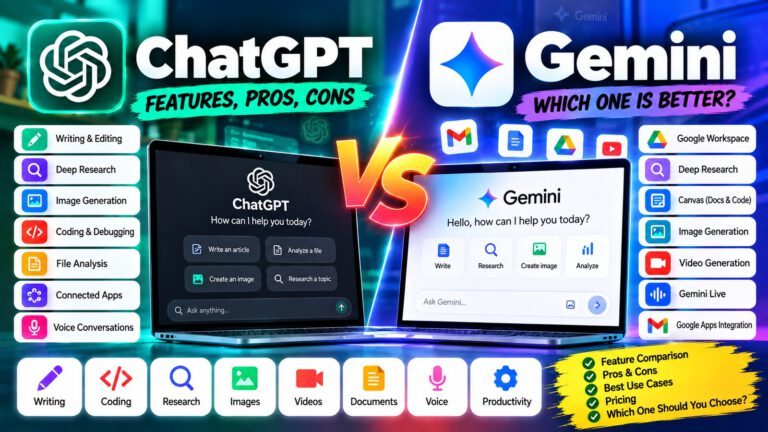
| ChatGPT | General everyday assistance | Versatile all-rounder |
| Gemini | Google users and daily organization | Google ecosystem integration |
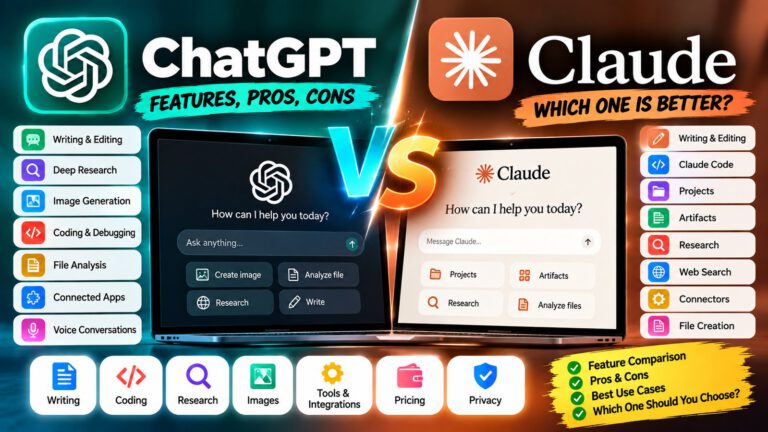
| Claude | Writing and explanations | Natural writing and document work |
| Microsoft Copilot | Microsoft users | Microsoft 365 and productivity |
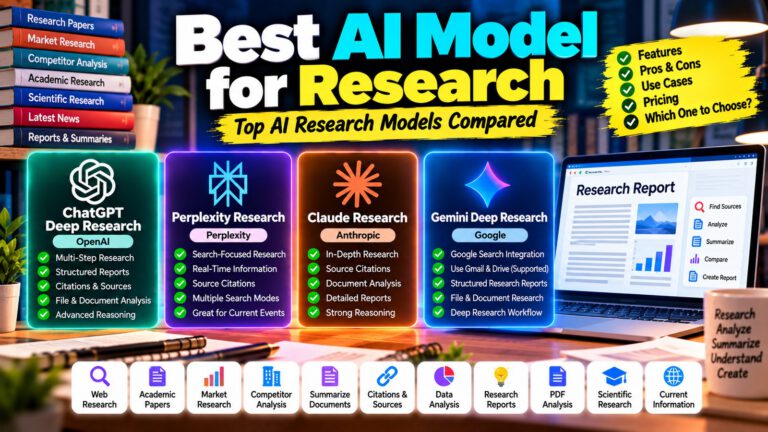
| Perplexity | Quick information discovery | Search-focused answers |
There is no single AI assistant that is best for everyone. Your choice should depend on the type of tasks you perform most often.
🧠 ChatGPT for Everyday Tasks
ChatGPT is one of the most versatile AI assistants for everyday use. It can help with brainstorming, writing, studying, planning, calculations, coding, image and file analysis, and many other tasks.
You can use it as a general-purpose assistant instead of switching between different tools for every small task.
Everyday uses:
- Write or improve emails and messages
- Rewrite text in a professional or friendly tone
- Explain difficult topics in simple language
- Create daily or weekly plans
- Make travel itineraries
- Generate meal ideas and shopping lists
- Summarize documents and files
- Analyze images
- Translate text
- Brainstorm content ideas
- Create checklists
- Help with calculations
- Practice conversations or interviews
Example prompt:
“I have a busy day tomorrow. Create a realistic schedule that includes work, exercise, meals, and one hour of personal time.”
ChatGPT is particularly useful when you want one assistant that can handle many different types of everyday requests.
✨ Gemini for Everyday Tasks
Gemini is especially useful for people who already use Google’s ecosystem.
Depending on account and availability, Gemini can connect with services such as Gmail, Calendar, Drive, Docs, Keep, Tasks, and other supported apps. This can make it useful for organizing information and managing daily activities.
For example, Gemini can help users find information from Gmail, summarize documents in Drive, work with calendar events, and manage certain tasks through connected apps.
Everyday uses:
- Summarize emails
- Find information in connected Google services
- Organize tasks
- Create or find calendar events
- Summarize documents
- Plan activities
- Generate ideas
- Explain topics
- Help with writing
- Work with images and files
Google is also expanding Gemini’s ability to automate scheduled workflows. Availability varies by subscription, account, and region.
Best suited for: People who already depend heavily on Gmail, Google Calendar, Google Drive, and other Google services.
📝 Claude for Everyday Tasks
Claude is particularly strong for writing, summarization, explanations, brainstorming, translation, and document-related work.
Anthropic’s current guidance lists everyday uses such as writing emails and messages, learning new subjects, summarizing long content, brainstorming, translating languages, and analyzing images.
Everyday uses:
- Improve emails
- Rewrite messages
- Summarize long articles
- Explain complicated information
- Brainstorm ideas
- Translate text
- Analyze documents
- Analyze images
- Create structured content
- Learn new subjects
For example, instead of asking:
“Summarize this.”
You can ask:
“Summarize this document in five simple points and explain what actions I need to take.”
Claude can be a good choice when the quality and clarity of written output are more important than simply getting a short answer.
💼 Microsoft Copilot for Everyday Tasks
Microsoft Copilot is particularly useful for people who spend a lot of time inside the Microsoft ecosystem.
Microsoft describes Copilot as useful for tasks such as drafting emails, catching up on meetings, organizing your week, summarizing information, editing content, and creating material from existing documents.
Everyday uses:
- Draft emails
- Summarize information
- Catch up on meetings
- Organize work
- Rewrite documents
- Create presentations from documents
- Generate ideas
- Create images
- Research topics
- Work with Microsoft 365 content
Copilot also has task-oriented features that can perform certain multi-step activities or scheduled tasks, although these capabilities and limits can change during product development.
Best suited for: People who regularly use Microsoft 365, Windows, Outlook, Word, PowerPoint, Excel, and related services.
🔎 Perplexity for Everyday Information
Perplexity is useful when your everyday task involves finding information on the web.
Instead of asking an AI only for a general answer, you can use a search-focused AI assistant to investigate a topic and provide sources.
Everyday uses:
- Find current information
- Compare products
- Research places to visit
- Find explanations
- Check recent developments
- Research purchases
- Discover websites and sources
- Compare services
- Find supporting information
For example:
“Compare three smartphones under ₹30,000 available in India and explain which one offers the best value.”
For tasks involving current information, always check the cited sources before making an important decision.
✈️ AI Tools for Travel Planning
Planning a trip can involve destinations, transportation, hotels, activities, budgets, and schedules.
AI can help organize all these details into one plan.
Try prompts like:
“Create a 3-day Hyderabad to Goa trip itinerary with a moderate budget.”
“Create a family trip plan with sightseeing, food suggestions, travel time, and estimated daily expenses.”
AI can also help you turn a list of places into a logical itinerary instead of simply giving you a random list.
For bookings, prices, opening hours, transportation schedules, and other time-sensitive information, verify the details with the relevant provider before making a purchase.
💬 AI Tools for Messages and Emails
One of the easiest everyday uses for AI is improving communication.
You can give an AI assistant a rough message and ask it to make the message:
- Professional
- Friendly
- Short
- Polite
- More confident
- Easier to understand
- Grammatically correct
For example:
“Rewrite this message politely and professionally without making it sound too formal.”
This is useful for workplace emails, customer complaints, support requests, WhatsApp messages, applications, and social media communication.
📚 AI Tools for Learning
AI can act as a personal tutor for many everyday learning activities.
You can ask it to explain a concept at different levels, create practice questions, test your knowledge, or provide examples.
Example:
“Explain DNS like I’m a beginner, then give me five questions to test my understanding.”
You can also use AI for:
- Language learning
- Interview practice
- Exam preparation
- Vocabulary
- Mathematics
- General knowledge
- Technical learning
- Writing practice
The important point is to use AI as a learning assistant rather than blindly accepting every answer.
🧾 AI Tools for Documents and PDFs
Long documents can take a lot of time to read manually.
Where file analysis is supported, AI assistants can help summarize documents, extract important information, explain sections, and answer questions about the content.
Useful prompts include:
“Summarize this document in simple English.”
“Extract the important dates and deadlines.”
“Find the main requirements in this PDF.”
“Explain this document section by section.”
Always verify important legal, financial, employment, medical, or government information against the original document.
🛒 AI Tools for Shopping Decisions
AI can make product research easier by helping you define what you actually need before comparing products.
For example:
“I need a laptop for programming, web development, and occasional video editing. My budget is ₹70,000. What specifications should I prioritize?”
You can then compare products based on:
- Price
- Features
- Performance
- Compatibility
- Warranty
- Reviews
- Long-term value
For current prices and availability, use up-to-date shopping sources rather than relying on an AI’s memory.
🍳 AI for Food and Meal Planning
AI can also help with everyday household planning.
You can provide the ingredients you already have and ask for meal ideas.
Example:
“I have rice, eggs, tomatoes, onions, and basic spices. Give me three simple dinner options.”
You can also ask for:
- Weekly meal plans
- Grocery lists
- Recipe ideas
- Ingredient substitutions
- Cooking instructions
- Portion planning
For medical or condition-specific diets, AI should not replace advice from a qualified healthcare professional.
🏠 AI for Household Organization
AI can help turn scattered responsibilities into organized checklists.
For example:
“Create a weekend household checklist covering cleaning, groceries, laundry, bills, and personal tasks.”
You can also use AI to divide large tasks into smaller steps.
This can be especially useful when you feel overwhelmed by a long list of things that need to be done.
🖼️ AI for Everyday Image Tasks
Modern AI assistants can also work with images.
Depending on the tool and available features, you can use AI to:
- Explain an image
- Extract visible information
- Analyze charts
- Improve image prompts
- Generate images
- Transform creative concepts
- Create social media graphics
- Brainstorm design ideas
For example:
“Analyze this product image and suggest five improvements for the advertisement.”
Some AI assistants also provide image-generation capabilities, although availability and usage limits vary between products.
⏰ AI for Planning and Repetitive Tasks
AI is increasingly moving beyond answering questions toward helping with workflows.
Some platforms now support scheduled or connected tasks. For example, Gemini offers scheduled workflows in supported experiences, while Microsoft Copilot has task-oriented features that can run immediately or on a schedule.
This can be useful for things such as:
- Recurring summaries
- Daily planning
- Weekly reports
- Reminders
- Repetitive information gathering
- Organizing tasks
However, automation should be reviewed carefully when it involves payments, personal information, account changes, or communication with other people.
🧠 Best AI Tool for Different Everyday Tasks
Best overall: ChatGPT
ChatGPT is a strong choice if you want one general-purpose assistant for writing, planning, learning, analysis, and many other tasks.
Best for Google users: Gemini
Gemini is particularly attractive if your daily life already revolves around Gmail, Calendar, Drive, Docs, and other Google services.
Best for writing: Claude
Claude is a strong option for people who frequently write, rewrite, summarize, brainstorm, and work with documents.
Best for Microsoft users: Copilot
Copilot makes the most sense when Microsoft 365 and Microsoft productivity tools are already part of your workflow.
Best for web information: Perplexity
Perplexity is particularly useful when your everyday task requires finding and comparing current information from the web.
💰 Are Free AI Tools Enough for Everyday Tasks?
For many people, yes.
Free versions can handle a large number of everyday requests such as:
- Basic writing
- Simple explanations
- Brainstorming
- Translation
- Planning
- General questions
- Basic summarization
Paid plans become more useful when you need higher usage limits, advanced models, larger file handling, deeper research, advanced automation, or additional integrations.
The best approach is to start with a free option and upgrade only when you regularly reach its limitations.
🔐 Privacy and Safety When Using AI
AI assistants can be extremely useful, but you should think carefully before sharing sensitive information.
Avoid unnecessarily entering:
- Passwords
- Banking credentials
- Private identification numbers
- Confidential company information
- Sensitive personal documents
- Other people’s private information
Also remember that AI can make mistakes. For important decisions, verify the information using reliable primary sources.
AI is best used as an assistant that helps you understand and organize information—not as an unquestionable source of truth.
📊 AI Tools for Everyday Tasks Compared
| Feature | ChatGPT | Gemini | Claude | Copilot | Perplexity |
|---|---|---|---|---|---|
| General assistance | ⭐⭐⭐⭐⭐ | ⭐⭐⭐⭐⭐ | ⭐⭐⭐⭐ | ⭐⭐⭐⭐ | ⭐⭐⭐⭐ |
| Writing | ⭐⭐⭐⭐⭐ | ⭐⭐⭐⭐ | ⭐⭐⭐⭐⭐ | ⭐⭐⭐⭐ | ⭐⭐⭐⭐ |
| Learning | ⭐⭐⭐⭐⭐ | ⭐⭐⭐⭐⭐ | ⭐⭐⭐⭐⭐ | ⭐⭐⭐⭐ | ⭐⭐⭐⭐ |
| Web information | ⭐⭐⭐⭐⭐ | ⭐⭐⭐⭐⭐ | ⭐⭐⭐⭐ | ⭐⭐⭐⭐ | ⭐⭐⭐⭐⭐ |
| Document work | ⭐⭐⭐⭐⭐ | ⭐⭐⭐⭐⭐ | ⭐⭐⭐⭐⭐ | ⭐⭐⭐⭐⭐ | ⭐⭐⭐⭐ |
| Google integration | ⭐⭐⭐ | ⭐⭐⭐⭐⭐ | ⭐⭐ | ⭐⭐ | ⭐⭐ |
| Microsoft integration | ⭐⭐⭐ | ⭐⭐ | ⭐⭐ | ⭐⭐⭐⭐⭐ | ⭐⭐ |
| Everyday planning | ⭐⭐⭐⭐⭐ | ⭐⭐⭐⭐⭐ | ⭐⭐⭐⭐ | ⭐⭐⭐⭐ | ⭐⭐⭐ |
| Best for | All-round use | Google ecosystem | Writing & analysis | Microsoft ecosystem | Web research |
These ratings are a practical comparison rather than a universal benchmark. Features, models, integrations, and usage limits can change over time.
🧩 How to Choose the Right AI Tool
You don’t necessarily need five different AI subscriptions.
Start by identifying the tasks you perform most often.
If you need one tool for almost everything, start with ChatGPT.
If most of your digital life is inside Google, try Gemini.
If writing and document work are your priority, consider Claude.
If you work heavily with Microsoft 365, Copilot may fit your workflow better.
If you frequently research current information online, Perplexity can be a useful addition.
The best AI setup is the one that saves you time without making your workflow unnecessarily complicated.
🎯 Final Thoughts
AI tools are becoming practical everyday assistants rather than tools used only by technology professionals.
You can use them to write a message, plan your day, organize a trip, learn something new, summarize a document, compare products, create a meal plan, research information, or organize repetitive tasks.
For most people, ChatGPT is one of the strongest all-purpose choices, while Gemini, Claude, Copilot, and Perplexity can be especially useful depending on the ecosystem and type of work you do.
Instead of asking which AI tool is universally the best, ask a more useful question: Which AI tool fits the tasks I do every day?
❓ Frequently Asked Questions
What is the best AI tool for everyday tasks?
ChatGPT is a strong all-purpose choice because it can handle writing, planning, learning, analysis, brainstorming, and many other common tasks.
Is Gemini good for everyday use?
Yes. Gemini can be particularly useful for people who already use Google services such as Gmail, Calendar, Drive, Docs, and other supported apps.
Which AI is best for writing everyday messages?
ChatGPT and Claude are both strong options for writing and rewriting emails, messages, posts, and other everyday content.
Which AI is best for current information?
Perplexity is designed around web-focused information discovery, while ChatGPT, Gemini, and Copilot can also be useful for current information when their relevant web capabilities are available.
Can AI help me plan my day?
Yes. You can give an AI assistant your tasks, priorities, available time, and deadlines and ask it to create a realistic schedule.
Can AI summarize PDFs and documents?
Yes, when the particular AI service and account support file uploads or document analysis. You should verify important information against the original document.
Are AI tools free?
Many AI services offer free access with varying limits. Advanced models, higher usage limits, additional integrations, and automation features may require paid plans.
Can AI tools perform tasks automatically?
Some AI products now support connected or scheduled tasks. However, availability varies, and important actions should always be reviewed before they are completed.
Should I use AI for important decisions?
AI can help you understand options and organize information, but important medical, legal, financial, employment, or other high-impact decisions should be verified with authoritative sources or qualified professionals.