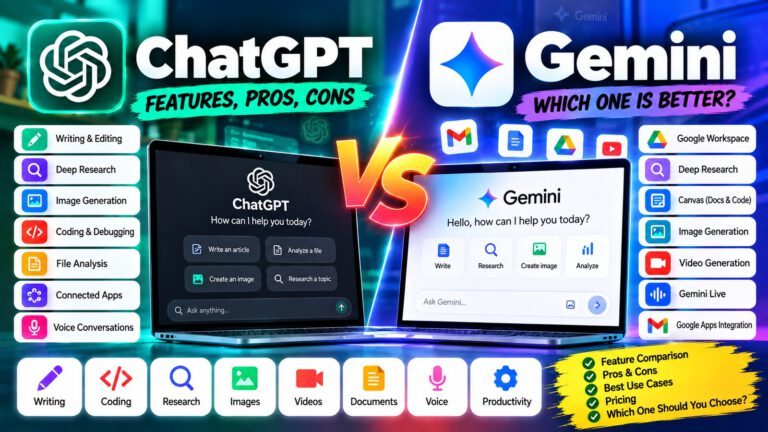
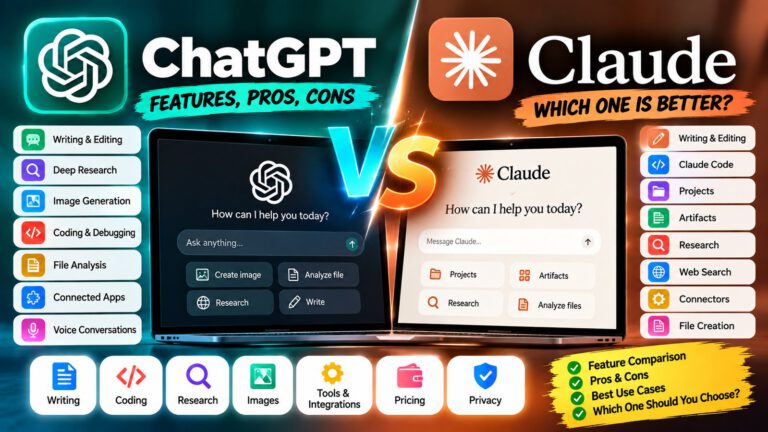
Claude vs Gemini
AI assistants are now useful for writing, coding, research, studying, document analysis, brainstorming, and everyday productivity. Two major options are Claude by Anthropic and Gemini by Google.
Both can handle many of the same tasks, but their ecosystems and workflows are different. Claude focuses heavily on writing, reasoning, coding, research, projects, artifacts, and professional work. Gemini is closely connected with Google’s ecosystem and offers capabilities across text, files, images, video, voice, research, and Google services.
This Claude vs Gemini comparison looks at their features, writing, coding, research, document handling, image and video capabilities, integrations, pricing considerations, pros and cons, and practical use cases.
🤖 What Can Claude and Gemini Do?
Both AI assistants can help with:
- ✍️ Writing and editing
- 📝 Summarizing documents
- 💻 Coding and debugging
- 🔍 Research and information gathering
- 📄 Analyzing files and documents
- 📊 Working with data
- 🧠 Brainstorming and problem-solving
- 🎓 Learning and studying
- 🖼️ Understanding images
- 🎙️ Voice-based interactions
- 🔗 Connecting with external services
- ⚙️ Handling multi-step workflows
- 🧩 Creating reusable outputs
The biggest differences usually appear in how each assistant fits into your existing workflow.
🤖 Claude
Claude is Anthropic’s AI assistant, designed for writing, analysis, coding, research, document work, and complex professional tasks.
Claude provides features and workflows around Projects, Research, web search, Artifacts, connectors, and coding with Claude Code. Artifacts can be used to create and work with reusable outputs such as documents, code, visualizations, and interactive content.
💡 Best suited for: Writers, developers, researchers, professionals, and users who want an AI workspace focused on creating and refining substantial work.
✅ Pros
| Pros | Details |
|---|---|
| ✍️ Writing | Useful for drafting, editing, rewriting, and refining content |
| 💻 Coding | Supports programming, debugging, code analysis, and development workflows |
| 📄 Long-form work | Projects can help organize ongoing work |
| 🧩 Artifacts | Useful for creating reusable documents, code, visualizations, and interactive outputs |
| 🔍 Research | Supports research and web-based information gathering |
| 🔗 Connectors | Can connect with supported external services |
| ⚙️ Developer workflows | Claude Code supports more advanced software-development workflows |
❌ Cons
| Cons | Details |
|---|---|
| 🌐 Google ecosystem | It does not center its experience around Google’s consumer services |
| 🖼️ Media generation | Its core focus is not broad consumer image and video generation |
| 💰 Advanced usage | Higher usage and advanced features can depend on the subscription |
| 🌍 Availability | Features and limits can vary by plan and region |
✨ Gemini
Gemini is Google’s AI assistant and is closely connected to Google’s broader ecosystem.
It can help with writing, brainstorming, learning, research, coding, document analysis, image generation, video-related workflows, voice interaction, and productivity.
Gemini also provides access to tools such as Deep Research, Canvas, Gemini Live, image generation, video generation, and connected Google services, with availability depending on the feature, account, plan, and region.
💡 Best suited for: Google users, students, professionals, creators, and people who already work heavily inside Google’s ecosystem.
✅ Pros
| Pros | Details |
|---|---|
| 🔗 Google integration | Works closely with Google’s ecosystem |
| 🔍 Deep Research | Can perform multi-step research and generate structured reports |
| 📄 Documents | Useful for working with files and Google Workspace content |
| 🎙️ Gemini Live | Supports conversational voice interaction |
| 🖼️ Image generation | Provides image-generation capabilities |
| 🎬 Video generation | Google’s AI ecosystem includes video-generation capabilities |
| 📱 Mobile ecosystem | Strong connection with Android and Google services |
❌ Cons
| Cons | Details |
|---|---|
| 📊 Usage limits | Limits vary depending on the feature and plan |
| 🔄 Changing features | AI features and models can change frequently |
| 🌍 Regional differences | Some features may not be available everywhere |
| 🔗 Ecosystem dependence | Some major benefits are most useful to Google users |
✍️ Claude vs Gemini for Writing
Both Claude and Gemini can write emails, articles, reports, social media posts, summaries, product descriptions, and other content.
Claude is particularly useful for long-form writing, rewriting, maintaining a consistent tone, and repeatedly refining a document.
Gemini is also capable of creating and editing content and can be convenient when the writing task is connected to Google’s ecosystem.
For example:
If you are creating a detailed article and want several rounds of editing, Claude’s project-oriented workflow can be useful.
If you are working inside Gmail or Google Docs and want AI assistance around that workflow, Gemini can be convenient.
💡 Practical Tip: Don’t judge either assistant from one short writing prompt. Test both using the same article, email, or document and compare the amount of editing you need afterward.
💻 Claude vs Gemini for Coding
Both platforms can help developers write, understand, debug, and improve code.
Claude supports coding workflows through Claude and Claude Code. Claude Code can work with a codebase, edit files, run commands, and help developers test and debug their work.
Gemini also provides coding capabilities through its models and Google’s developer ecosystem.
For coding tasks, compare:
- Understanding existing code
- Debugging
- Refactoring
- Generating functions
- Explaining errors
- Working with multiple files
- Building prototypes
- Agent-style development
- Development-tool integrations
- API availability
💡 Practical Tip: Give both assistants the same real-world programming task instead of comparing only short code snippets.
🔍 Claude vs Gemini for Research
Research is an important capability for both assistants.
Claude provides research and web-search workflows for gathering and analyzing information.
Gemini provides Deep Research, which can create a research plan, gather information from multiple sources, and produce a structured report. Gemini can also use selected sources such as Google Search and, where supported, connected Gmail or Drive content.
A useful difference is the surrounding ecosystem.
Claude can combine research with projects, artifacts, coding, and connected tools.
Gemini can combine research with Google’s search and productivity ecosystem.
For research, check whether the assistant can:
- Find recent information
- Cite sources
- Compare multiple sources
- Summarize long documents
- Identify conflicting information
- Organize findings
- Create structured reports
- Work with connected data
⚠️ Important: AI-generated research should still be checked against original sources, especially for medical, legal, financial, cybersecurity, and other high-stakes topics.
📄 Claude vs Gemini for Documents
Both assistants can analyze documents and uploaded files.
Claude is useful for workflows involving Projects, long-form content, document analysis, and Artifacts.
Gemini is particularly convenient when documents are already stored inside Google’s ecosystem.
Examples include:
- 📑 Summarizing reports
- 📚 Studying PDFs
- 📊 Reviewing spreadsheets
- 📝 Editing documents
- 🔍 Finding information inside files
- 📋 Creating reports
- 🧠 Comparing multiple documents
- 📖 Creating study material
💡 Practical Tip: If your documents are primarily in Google Drive and Workspace, Gemini can fit naturally into that workflow. If you want a dedicated AI workspace for organizing and iterating on project material, Claude’s Projects and Artifacts can be useful.
🖼️ Claude vs Gemini for Image Generation
Image capabilities are an important difference.
Gemini’s ecosystem includes image-generation and image-editing capabilities.
Claude’s primary focus is language, reasoning, coding, research, documents, and interactive outputs rather than being positioned as a broad consumer image-generation platform.
Claude can still understand and analyze visual information such as images, screenshots, charts, and diagrams.
Gemini provides a broader set of generative-media capabilities within Google’s AI ecosystem.
For image-related work, consider:
- Creating new images
- Editing existing images
- Understanding screenshots
- Analyzing charts
- Creating visual concepts
- Creating marketing graphics
- Generating creative assets
If image creation is an important part of your workflow, compare the specific image tools available to your account rather than comparing only the chatbot models.
🎬 Claude vs Gemini for Video
Video is another area where Google’s AI ecosystem has a broader generative-media focus.
Gemini’s ecosystem includes video-generation capabilities and related creative tools. Google’s current Gemini documentation also lists video generation alongside image generation, music generation, Canvas, and other creative features.
Claude is primarily focused on text, reasoning, coding, documents, research, and interactive outputs.
For YouTubers and content creators, Gemini can be useful for workflows involving:
- 🎬 Video ideas
- 📝 Scripts
- 🖼️ Images
- 🎥 Video-generation workflows
- 🎙️ Voice and conversational interaction
- 🔍 Research
Claude can be useful for the planning and writing side of the workflow, including scripts, outlines, research, and content refinement.
🎙️ Claude vs Gemini for Voice
Gemini provides voice interaction through Gemini Live, allowing users to have conversational interactions with Gemini on supported devices and platforms.
Google’s current Gemini documentation also lists Gemini Live and related voice features among its supported capabilities.
Claude’s main strengths remain centered around text, reasoning, coding, research, documents, and work-oriented workflows.
For users who want an AI assistant closely connected to their phone and Google ecosystem, Gemini’s voice capabilities can be an important consideration.
🔗 Claude vs Gemini Integrations
Integrations can significantly affect which AI assistant fits your daily workflow.
Claude supports connectors and external tools that allow it to work with supported services. Its ecosystem also includes developer-focused workflows and MCP-based integrations.
Gemini has a strong connection with Google’s ecosystem.
Depending on availability, Gemini can work with services and workflows involving:
- 📧 Gmail
- 📄 Google Docs
- ☁️ Google Drive
- 🗺️ Google Maps
- 🔎 Google Search
- 📊 Google Workspace
- 📱 Android
Google’s current Gemini documentation lists connected apps and integrated services as part of the Gemini ecosystem.
💡 Practical Tip: Don’t choose an AI assistant only based on model capabilities. Check which assistant can access the applications and information you already use every day.
🧩 Claude vs Gemini for Productivity
For productivity, both assistants can handle everyday tasks such as:
- Writing emails
- Creating plans
- Summarizing information
- Brainstorming
- Organizing ideas
- Analyzing documents
- Researching topics
- Creating content
- Coding
- Learning new subjects
Claude’s Projects, Artifacts, research, and developer workflows can be useful for project-based work.
Gemini’s connection with Google Workspace can be convenient for users who already spend most of their working day in Gmail, Docs, Drive, and other Google services.
🎓 Claude vs Gemini for Students
Students can use both assistants for:
- 📚 Learning concepts
- 📝 Summarizing notes
- 📄 Understanding documents
- 🧠 Brainstorming assignments
- 💻 Learning programming
- 🔍 Researching topics
- 🎯 Creating study plans
- ❓ Generating practice questions
- 📖 Creating revision material
Gemini can be convenient for students already using Google Workspace.
Claude can be useful for detailed explanations, writing refinement, document analysis, and project-based study workflows.
⚠️ Important: Students should use AI as a learning assistant rather than submitting generated work without understanding or checking it.
👨💻 Claude vs Gemini for Developers
Developers may want to compare:
- Coding quality
- Debugging
- Codebase understanding
- Context handling
- Agent workflows
- Tool use
- IDE integrations
- API availability
- Cost
- Speed
- Output consistency
Claude has a developer-focused ecosystem around Claude Code, connectors, and agent workflows. Claude Code can navigate a codebase, edit multiple files, execute commands, and help test and debug code.
Gemini provides coding capabilities through Google’s AI and developer ecosystem.
For professional development, one of the most useful tests is to give both systems the same realistic software task and compare the amount of manual correction required.
🔐 Privacy & Responsible Use
Before uploading confidential information to any AI assistant, understand the provider’s current privacy controls, data-handling practices, account settings, and organizational policies.
This is especially important when working with:
- Customer information
- Company documents
- Source code
- Financial information
- Credentials
- Personal information
- Internal business data
For organizations, review the specific business or enterprise offering rather than assuming consumer and business products have identical controls.
💡 Safety Tip: Never paste passwords, API keys, private encryption keys, or other secrets into an AI chatbot.
💰 Claude vs Gemini Pricing
Pricing, usage limits, and included features can change, so the exact plan should be checked before purchasing.
Claude offers free and paid access with different usage levels and features.
Google provides free Gemini access along with Google AI subscription plans that provide expanded access to models and features. Google’s current plans include Google AI Plus, Google AI Pro, and Google AI Ultra.
💡 Important: Don’t compare only the monthly subscription price. Also compare:
- Usage limits
- Model access
- Context limits
- Research access
- Image generation
- Video generation
- Coding features
- Storage
- Google Workspace integration
- Enterprise features
Google also states that Gemini feature limits can vary by plan and may change based on capacity and other factors.
🧠 Claude vs Gemini for Different Users
Instead of looking for one universal answer, consider your actual workflow.
For writers and content creators:
Claude can be useful for long-form writing, rewriting, editing, research, and project-based content workflows.
Gemini can be useful when content creation is connected to Google services and Google’s broader media tools.
For developers:
Claude provides Claude Code and other developer-oriented workflows.
Gemini provides coding capabilities and integration with Google’s developer ecosystem.
For students:
Both can help with explanations, summaries, research, coding, study plans, and document analysis.
For Google Workspace users:
Gemini can be particularly convenient because of its connection with Google’s ecosystem.
For research-heavy users:
Both provide research workflows, so compare source access, citations, report quality, research limits, and the tools available in your plan.
📊 Claude vs Gemini at a Glance
| Feature | Claude | Gemini |
|---|---|---|
| ✍️ Writing | Strong | Strong |
| 💻 Coding | Strong | Strong |
| 🧠 Reasoning | Strong | Strong |
| 🔍 Web Research | Yes | Yes |
| 🔬 Deep Research | Research workflows | Deep Research |
| 📄 Document Analysis | Yes | Yes |
| 🧩 Project Work | Projects | Projects and related workflows |
| 🛠️ Developer Tools | Claude Code | Google developer ecosystem |
| 🎨 Interactive Outputs | Artifacts | Canvas |
| 🖼️ Image Generation | Not a core focus | Yes |
| 🎬 Video Generation | Not a core focus | Yes |
| 🎙️ Voice | Available capabilities vary | Gemini Live |
| 🔗 Google Workspace | Through supported integrations | Strong ecosystem integration |
| 📱 Android Integration | Available | Strong Google integration |
| ⚙️ Agent Workflows | Available | Available capabilities vary |
| 🏢 Business Options | Yes | Yes |
| 💰 Free Access | Yes | Yes |
🎯 Final Thoughts
Claude and Gemini are both powerful AI assistants, but they are designed around somewhat different workflows.
Claude is particularly useful for users who spend a lot of time on writing, coding, research, documents, projects, artifacts, and complex professional tasks.
Gemini is particularly useful for people who already depend heavily on the Google ecosystem, including Gmail, Docs, Drive, Android, Search, and Google’s broader AI tools.
For many users, the most practical way to decide is to test both with the same real tasks.
Try the same writing project, coding problem, research task, document analysis, and productivity workflow in both tools.
Then compare:
- Output quality
- Accuracy
- Editing required
- Research sources
- Available integrations
- Usage limits
- Speed
- Overall workflow
- Cost
That approach gives you a more useful comparison than relying on a single benchmark or a simple “which AI is better?” question.
❓ Frequently Asked Questions
Is Claude better than Gemini?
Claude and Gemini have different strengths. Claude focuses strongly on writing, coding, reasoning, projects, artifacts, research, and professional workflows, while Gemini has deep integration with Google’s ecosystem and broader generative-media capabilities. The right fit depends on the user’s workflow.
Is Gemini better for Google users?
Gemini can be particularly convenient for users who already work heavily with Gmail, Google Docs, Google Drive, Search, Android, and other Google services.
Is Claude good for coding?
Yes. Claude supports coding and developer workflows, including Claude Code. It can help with programming, debugging, code analysis, refactoring, and larger development tasks.
Can Gemini generate images?
Yes. Gemini provides image-generation and image-editing capabilities, with availability depending on the model, plan, account, and region.
Can Claude generate images?
Claude’s primary focus is language, reasoning, coding, research, documents, and interactive outputs rather than broad consumer image generation. It can understand and analyze visual information.
Which is better for writing, Claude or Gemini?
Both can write and edit content. Claude can be useful for long-form writing and iterative document workflows, while Gemini can be convenient when writing is closely connected to Google Workspace.
Which is better for research?
Both provide research capabilities. Claude offers research and web-search workflows, while Gemini provides Deep Research. Important information should always be verified against original sources.
Can Claude and Gemini analyze PDFs and documents?
Yes. Both can work with uploaded files and documents, subject to their respective file, context, and usage limits.
Can Gemini work with Gmail and Google Drive?
Gemini supports connected Google services and can use sources such as Gmail and Drive for supported workflows and research, depending on the account and configuration.
Does Claude have integrations?
Yes. Claude supports connectors and external tools, with availability depending on the service, account, and plan.
Which AI is better for students?
Both can help students with explanations, summaries, research, coding, document analysis, and study planning. The most useful option depends on the student’s existing tools and learning workflow.
Which AI should businesses use?
Businesses should compare the specific business or enterprise offerings, security controls, administration features, integrations, data requirements, usage limits, and pricing before selecting a platform.