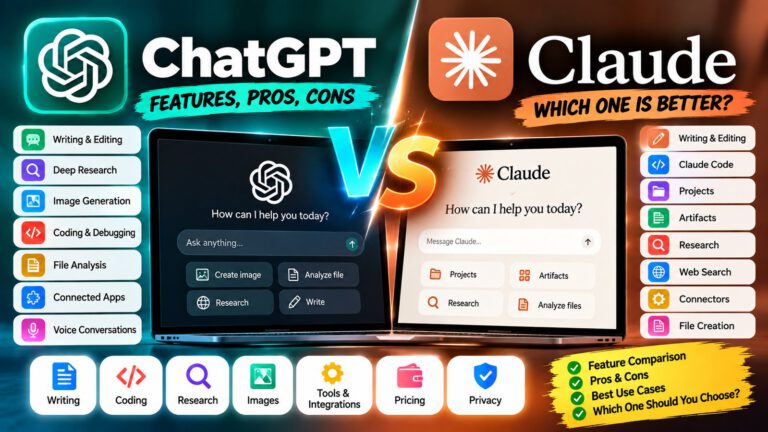
ChatGPT vs Gemini
Choosing between ChatGPT vs Gemini can be confusing because both are powerful AI assistants that can help with writing, coding, research, image generation, studying, brainstorming, and everyday productivity. 🤖✨
The difference becomes clearer when you look at the complete ecosystem around each AI assistant. ChatGPT combines conversation with features such as web search, Deep Research, image generation, file analysis, coding tools, and connected apps.
Gemini is closely connected to Google’s ecosystem and offers features such as Deep Research, Canvas, image generation, Gemini Live, NotebookLM-related workflows, and integration with Google services such as Gmail and Docs on eligible plans.
Instead of looking for a universal winner, it is more useful to compare ChatGPT vs Gemini based on the tasks you actually perform.
🤖 What Can ChatGPT and Gemini Do?
Both AI assistants can handle a wide range of tasks, including:
- ✍️ Writing and rewriting
- 📝 Summarizing articles and documents
- 💻 Coding and debugging
- 🔍 Research and information gathering
- 📊 Data analysis
- 📄 File analysis
- 🎓 Studying and learning
- 💡 Brainstorming
- 🖼️ Image generation
- 🎙️ Voice conversations
- 🌐 Web-based research
- 📱 Everyday productivity
- 🔄 Multi-step workflows
- 🧩 Working with connected services
The biggest differences usually appear in ecosystem integration, research workflows, image and video capabilities, coding tools, productivity features, and how each platform fits into your existing apps.
🤖 ChatGPT
Best for: A broad AI workspace combining conversation, research, image generation, file analysis, coding, and connected apps
ChatGPT can be used for everyday questions as well as more advanced workflows involving research, files, images, coding, and external applications. OpenAI’s current ChatGPT experience supports web search, file and image analysis, image creation, and multiple subscription tiers with different usage limits.
✨ Key capabilities include:
- 🧠 Advanced AI models and reasoning
- 🔍 Deep Research
- 🌐 Web search
- 🖼️ Image generation and editing
- 📄 File uploads and analysis
- 💻 Coding workflows
- 🔗 Connected apps
- 🎙️ Voice conversations
- 📊 Data analysis
- 🛠️ Agentic workflows
- 📑 Document and productivity workflows
ChatGPT’s Deep Research can create structured reports from multi-step web research, and users can refine research plans and sources during the process.
ChatGPT Images can also create and edit images, add text, modify image elements, and work with different aspect ratios.
💡 Tip: If you regularly move between writing, research, coding, image creation, and file analysis, test those tasks together rather than judging ChatGPT only from simple chatbot questions.
✅ Pros & Cons
| ✅ Pros | ❌ Cons |
|---|---|
| Broad range of AI tools | Some advanced features have usage limits |
| Deep Research capabilities | Features vary by plan |
| Image generation and editing | Large feature set can take time to learn |
| File and data analysis | Some capabilities are plan-specific |
| Coding and development workflows | Higher usage may require a paid plan |
| Connected apps | App availability varies by plan and region |
✨ Gemini
Best for: Google-focused productivity, research, multimodal tasks, and creative workflows
Gemini is Google’s AI assistant and is closely connected with Google’s broader ecosystem. Depending on the plan and region, Gemini can work with Google apps, Deep Research, Canvas, image generation, video generation, Gemini Live, and other AI features.
✨ Key capabilities include:
- 🔍 Deep Research
- ✍️ Writing and editing
- 📄 Document assistance
- 📊 Research and analysis
- 🎨 Image generation
- 🎬 Video-generation features on eligible plans
- 🎙️ Gemini Live
- 🖥️ Screen and camera interaction
- 🧩 Canvas
- 📚 Gemini Notebook
- 📧 Google Workspace integration
- 🗂️ Google ecosystem connectivity
Gemini’s Canvas provides an interactive workspace for creating and refining documents and code, while Gemini’s broader ecosystem connects AI features with Google’s products.
Google’s current AI plans also include expanded access to Gemini models, Deep Research, image and video generation, Google Workspace features, and additional AI tools depending on the subscription.
💡 Tip: If you already spend most of your working day in Gmail, Google Docs, Drive, and other Google services, test Gemini inside those workflows rather than evaluating it only as a standalone chatbot.
✅ Pros & Cons
| ✅ Pros | ❌ Cons |
|---|---|
| Strong Google ecosystem integration | Some advanced features require paid access |
| Deep Research available | Features vary by plan and region |
| Strong multimodal capabilities | Google services may be most useful within its ecosystem |
| Gemini Live and interactive features | Usage limits apply to some features |
| Canvas for documents and code | Some features are region-specific |
| Image and video generation options | Exact model access can change |
✍️ ChatGPT vs Gemini for Writing
Both tools can help with:
- 📝 Blog posts
- 📧 Emails
- 📄 Reports
- ✍️ Rewriting
- 🔤 Grammar correction
- 💡 Brainstorming
- 📚 Summarization
- 📢 Marketing content
- 🧾 Documentation
The workflow can be quite different.
ChatGPT provides a conversational environment that can combine writing with web research, files, image creation, and connected apps. Gemini can combine writing with Google’s ecosystem and features such as Canvas and Workspace integration.
For example:
ChatGPT workflow:
💡 Idea → 🤖 Chat → 🔍 Research → ✍️ Draft → 🖼️ Visual → 📄 Final content
Gemini workflow:
💡 Idea → 🤖 Gemini → 🔍 Research → ✍️ Draft → 📝 Canvas → 📧 Google Workspace
If your writing workflow is heavily connected to Google Docs and Gmail, Gemini’s ecosystem may be particularly relevant. If you want a broader combination of writing, research, images, files, and connected apps, ChatGPT provides a different workflow.
💻 ChatGPT vs Gemini for Coding
Both platforms can help developers with:
- 💻 Code generation
- 🐛 Debugging
- 🔍 Code explanation
- 🧪 Testing
- 🔄 Refactoring
- 📚 Documentation
- 🏗️ Application development
- 🧩 Problem solving
ChatGPT provides dedicated coding workflows through its broader coding ecosystem, while Gemini provides coding assistance and interactive development features through experiences such as Canvas.
For developers, compare:
- 🧠 Code reasoning
- 📁 Repository workflow
- 🛠️ IDE or terminal integration
- 🧪 Testing
- 🔄 Multi-file changes
- ⚡ Response speed
- 💰 Usage limits
- 🔗 Integration with your existing tools
💡 Practical approach: Give both assistants the same real coding task from your own project. Compare how they understand the requirements, identify bugs, modify files, and explain their solution.
🔍 ChatGPT vs Gemini for Research
Both platforms provide AI-powered research capabilities.
ChatGPT’s Deep Research is designed for multi-step research and can search, analyze, and synthesize information into structured reports with citations. Users can also control research sources and refine the research process.
Gemini also provides Deep Research, which Google describes as a tool that browses and analyzes information to create detailed research reports.
A practical research workflow looks like:
🔎 Question → 🌐 Search → 📚 Multiple sources → 🧠 Analysis → 📝 Report → 🔗 Sources
When researching important topics, don’t rely blindly on either AI assistant. Open the cited sources and verify important claims.
🖼️ ChatGPT vs Gemini for Image Generation
Both platforms support AI image creation, but their surrounding creative ecosystems differ.
ChatGPT Images can generate new images, edit existing images, add text, modify specific elements, create transparent backgrounds, and work with different aspect ratios.
Gemini also provides AI image generation and editing capabilities, with Google’s current AI plans offering expanded access to image-generation models and other creative tools.
You can use AI image generation for:
- 🖼️ Blog featured images
- ▶️ YouTube thumbnails
- 📱 Social media graphics
- 🎨 Illustrations
- 🛍️ Product concepts
- 📢 Marketing visuals
- 🧑🎨 Creative artwork
- 🏞️ Background images
The important factor is not just the generated image. Also consider editing controls, aspect ratios, text handling, generation limits, and how easily you can move the result into your existing workflow.
🎬 ChatGPT vs Gemini for Video
Gemini has a broader Google AI ecosystem around image and video generation, with Google’s current AI plans providing access to video-generation models and creative tools such as Flow on eligible plans.
ChatGPT’s current ecosystem is broader around conversation, research, coding, files, and image generation, while OpenAI’s product capabilities continue to evolve.
If video generation is important to you, compare:
- 🎬 Video quality
- ⏱️ Generation limits
- 🎵 Audio capabilities
- ✏️ Editing controls
- 📐 Output formats
- 💰 Credits or usage limits
- 🛠️ Additional creative tools
Because AI video features are changing rapidly, check the current plan and model availability before subscribing specifically for video generation.
📄 ChatGPT vs Gemini for Documents
Both assistants can work with documents, but their ecosystems are different.
ChatGPT can analyze uploaded files and combine document work with web search, Deep Research, data analysis, and other tools depending on the account and plan.
Gemini can work with Google’s productivity ecosystem, including Google Docs and other Workspace applications on eligible plans. Google also provides Canvas for creating and refining documents and code.
Consider:
- 📁 Where your documents are stored
- ☁️ Google Drive usage
- 📝 Google Docs workflow
- 🔍 Web research requirements
- 📊 Spreadsheet work
- 📄 File formats
- 🔗 Existing productivity tools
🎙️ ChatGPT vs Gemini for Voice
Both platforms provide conversational voice experiences.
ChatGPT supports voice conversations as part of its broader AI assistant experience.
Gemini Live provides conversational interaction and has supported camera and screen-sharing experiences on mobile. Google has also expanded Gemini Live availability across platforms.
Voice can be useful for:
- 🗣️ English practice
- 🎓 Learning
- 💡 Brainstorming
- 📚 Studying
- 🚗 Hands-free questions
- 📱 Understanding things visible on your screen or camera
The best option depends on the devices and ecosystem you already use.
🔗 ChatGPT vs Gemini Integrations
This is one of the most important differences to consider.
ChatGPT supports apps that can search and reference information from connected third-party services. Depending on the app and permissions, some apps can also provide interactive experiences or perform supported actions.
Gemini has a natural connection to Google’s ecosystem, including Gmail, Docs, Drive, and other Google services on supported plans.
Think about your daily workflow:
Google ecosystem:
📧 Gmail → 📄 Docs → ☁️ Drive → 📊 Sheets → 🤖 Gemini
Broader AI workspace:
🤖 ChatGPT → 🔍 Research → 📄 Files → 🖼️ Images → 🔗 Connected apps → 💻 Coding
Neither workflow is automatically right for everyone. Your existing tools should influence the choice.
💰 ChatGPT vs Gemini Pricing
AI pricing changes regularly, so check the official plan pages before subscribing.
ChatGPT has a Free plan and paid plans including Plus and Pro. ChatGPT Plus is currently listed at $20/month, with higher limits and additional capabilities compared with Free.
Google offers multiple AI subscription tiers. In India, Google currently lists Google AI Plus at ₹399/month, while higher Google AI plans provide expanded access to Gemini and additional Google AI features.
The important comparison is not just the monthly price. Look at:
- 💰 Subscription cost
- 📊 Usage limits
- 🧠 Model access
- 🔍 Research limits
- 🖼️ Image generation
- 🎬 Video generation
- ☁️ Cloud storage
- 📧 Google Workspace integration
- 💻 Coding capabilities
- 🎙️ Voice features
Plans, pricing, models, and regional availability can change, so verify the current official plan information before purchasing.
🔐 Privacy & Responsible Use
Whichever AI assistant you choose, avoid treating it as a completely risk-free place to upload sensitive information. 🔒
Be careful with:
- 🪪 Identity documents
- 💳 Financial information
- 🔐 Passwords and credentials
- 🏢 Confidential business information
- 👤 Customer information
- 📄 Sensitive company documents
- 🧑💼 Private client information
AI-generated answers can also contain errors.
Always verify important:
- 💰 Financial information
- ⚖️ Legal information
- 🏥 Medical information
- 🔐 Security recommendations
- 📊 Business-critical information
- 📰 Current news and events
Use the AI as an assistant, not as the only source of truth.
🧩 Which One Fits Your Workflow?
🖼️ If image generation is important:
Compare the image-generation tools, editing capabilities, quality, limits, and creative workflow of both platforms.
📧 If you use Google Workspace heavily:
Gemini’s integration with Google services can be an important factor.
🔍 If research is your main activity:
Test both Deep Research experiences using the same research question and compare the sources, citations, report structure, and controls.
💻 If coding is your priority:
Give both assistants the same real project task and compare the resulting code, debugging process, and development workflow.
🎬 If video creation matters:
Check the latest available video models, generation limits, and creative tools in your region and plan.
📄 If you work mainly with documents:
Compare your actual Google Docs/Drive workflow with ChatGPT’s file-analysis and research workflow.
💰 If you’re on a budget:
Start with the free plans and test your real tasks before paying for either service.
📊 ChatGPT vs Gemini at a Glance
| Feature | 🤖 ChatGPT | ✨ Gemini |
|---|---|---|
| Free access | ✅ Yes | ✅ Yes |
| Web search | ✅ Yes | ✅ Yes |
| Deep Research | ✅ Yes | ✅ Yes |
| Image generation | ✅ Yes | ✅ Yes |
| Image editing | ✅ Yes | ✅ Yes |
| File analysis | ✅ Yes | ✅ Yes |
| Coding | ✅ Yes | ✅ Yes |
| Voice | ✅ Yes | ✅ Gemini Live |
| Google Workspace | 🔗 Connected apps | 🔗 Native Google ecosystem |
| Canvas | 🧩 Workspace/output tools | ✅ Canvas |
| Video generation | Available through evolving AI workflows | ✅ Available through eligible Google AI plans/tools |
| Connected services | ✅ Apps/connectors | ✅ Google services and supported integrations |
| Cloud storage | Plan-dependent | Google AI plans include storage |
| Research reports | ✅ Deep Research | ✅ Deep Research |
| Best fit depends on | Broad AI tools and workflows | Google ecosystem and multimodal workflows |
Feature availability can vary by plan, region, model, and account. Always check the official product pages for the latest limits and capabilities.
🎯 Final Thoughts
ChatGPT vs Gemini is best understood as a comparison between two broad AI ecosystems rather than two simple chatbots.
ChatGPT combines conversation with tools such as Deep Research, image generation, file analysis, coding, web search, and connected apps.
Gemini combines AI assistance with Google’s ecosystem and features such as Deep Research, Canvas, Gemini Live, image and video generation, Google Workspace integration, and other Google AI products.
The easiest way to choose is to test both with the tasks you actually perform. 🧪
Try the same:
✍️ Writing task → 🔍 Research task → 💻 Coding task → 🖼️ Image task → 📄 Document task → 📱 Everyday task
Then compare the workflow, output quality, available features, limits, and overall convenience for your needs.
❓ Frequently Asked Questions
🤖 What is the main difference between ChatGPT and Gemini?
ChatGPT provides a broad AI workspace with features such as Deep Research, image generation, file analysis, coding, web search, and connected apps. Gemini is closely integrated with Google’s ecosystem and provides features such as Deep Research, Canvas, Gemini Live, image and video generation, and Google Workspace integration on supported plans.
💰 Is ChatGPT or Gemini cheaper?
Both provide free access, while paid plans vary by region and features. ChatGPT Plus is currently $20/month, while Google offers several AI plans with different pricing and benefits. In India, Google AI Plus is currently listed at ₹399/month.
💻 Can ChatGPT and Gemini help with coding?
Yes. Both can generate, explain, debug, and improve code. Gemini also provides Canvas for interactive code and document workflows.
🔍 Which has Deep Research?
Both ChatGPT and Gemini provide Deep Research capabilities. ChatGPT’s Deep Research can create structured reports using multi-step web research, while Gemini also provides research reports based on web information.
🖼️ Can ChatGPT generate images?
Yes. ChatGPT Images can create new images and edit existing images, including changing elements, adding text, creating transparent backgrounds, and selecting different aspect ratios.
🎨 Can Gemini generate images?
Yes. Gemini provides AI image generation and editing features, with expanded access available through eligible Google AI plans and models.
📧 Is Gemini better if I use Gmail and Google Docs?
Gemini can be particularly useful for people who already rely heavily on Google’s ecosystem because eligible Google AI plans provide Gemini features inside Google applications such as Gmail and Docs.
🎙️ Do ChatGPT and Gemini have voice features?
Yes. ChatGPT supports voice conversations, while Gemini provides Gemini Live for conversational voice interaction and has supported camera and screen-sharing experiences.
🎬 Can Gemini create videos?
Google provides video-generation capabilities through its Gemini and Google AI ecosystem, with access and limits depending on the plan, model, region, and product.
🔄 Can I use both ChatGPT and Gemini?
Yes. You can use both platforms for different tasks and compare them using your own workflow. For example, you might use one for research and another for Google Workspace tasks, coding, writing, or image creation depending on the features available to you.