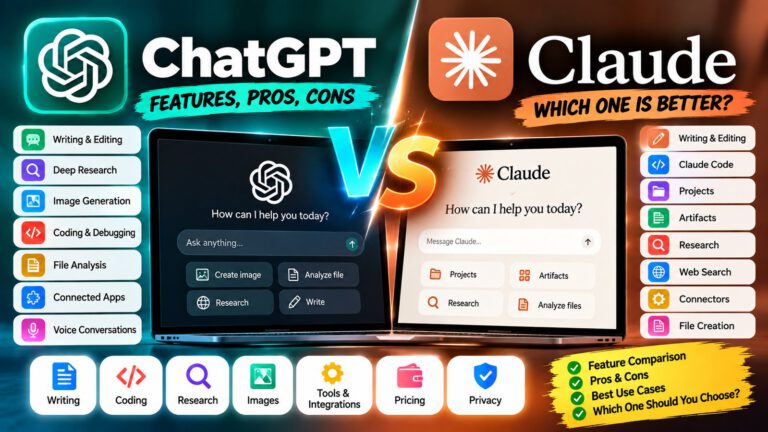
Best AI Model for Research
Research used to mean opening dozens of browser tabs, reading articles and papers, comparing sources, taking notes, and manually building a final report.
AI research tools can now automate much of that process.
Modern AI assistants can search the web, analyze multiple sources, compare information, summarize documents, identify patterns, organize evidence, and produce structured reports with citations.
But choosing the best AI model for research is not simply about choosing the model with the highest benchmark score.
The right choice depends on what you are researching, how many sources you need, whether you need academic papers or live web information, how important citations are, and whether you need the AI to work with your own files.
This guide compares major AI research options and explains which type of research workflow each one can support.
🔍 What Can AI Research Models Do?
AI research tools can help with:
- 🌐 Searching the latest information
- 📚 Finding academic papers
- 📰 Researching current events
- 🏢 Competitor research
- 📊 Market research
- 🔬 Scientific research
- 📄 Analyzing PDFs and documents
- 🔗 Comparing multiple sources
- 🧠 Summarizing complex information
- 📑 Creating research reports
- 📌 Extracting important facts
- ⚖️ Comparing conflicting information
- 📈 Analyzing trends
- 💡 Finding research gaps
- 📝 Creating literature-review notes
- 📊 Organizing research findings
- 🔎 Fact-checking claims
The most important capabilities for serious research are source quality, search depth, citations, reasoning, document handling, and the ability to distinguish evidence from assumptions.
🏆 Best AI Models for Research
There is no single AI model that is best for every research task.
Some tools are designed specifically around web search and citations, while others combine research with broader reasoning, document analysis, coding, or productivity workflows.
Important options to consider include:
| AI Research Tool | Particularly useful for |
|---|---|
| 🧠 ChatGPT Deep Research | Multi-step research and structured reports |
| 🔍 Perplexity Research | Search-focused research and source discovery |
| 🤖 Claude Research | Multi-step research and source synthesis |
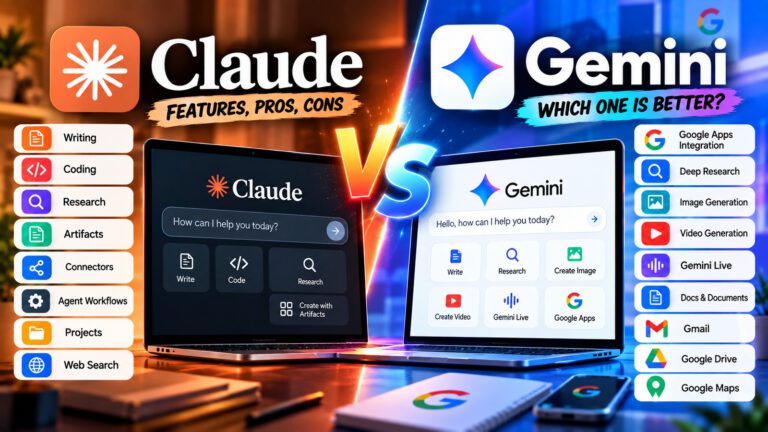
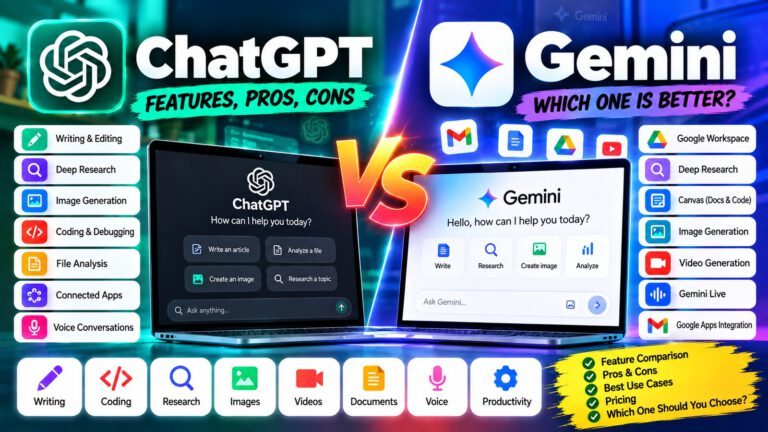
| ✨ Gemini Deep Research | Web research plus Google ecosystem sources |
| 🧪 Claude Science | Scientific and technical research workflows |
The practical choice depends on the type of research you perform.
🧠 ChatGPT Deep Research
ChatGPT provides both standard web search and a deeper Deep Research workflow.
Standard search is useful when you need a quick answer or want to check recent information.
Deep Research is designed for questions that require multiple research steps. It can create a research plan, search across sources, analyze information, and produce a structured report with citations or source links.
It can also work with uploaded files and supported connected apps.
This makes it useful for:
- 📊 Market research
- 🏢 Competitor analysis
- 🔬 Technical research
- 📚 Literature reviews
- 📄 Document research
- 📰 Current-events research
- 🧠 Complex questions
- 📑 Research reports
💡 Best suited for: Users who want research combined with reasoning, document analysis, structured reports, and broader AI workflows.
✅ Pros
- Multi-step research workflow
- Structured reports
- Citations and source links
- Can work with uploaded files
- Can search specific websites
- Useful for complex questions
- Can combine research with analysis and writing
❌ Cons
- Deep Research is slower than ordinary search
- Usage depends on the plan
- Research output still needs source verification
- Availability of features can vary
🔍 Perplexity Research
Perplexity is strongly focused on search and research.
Its research workflows are designed to search multiple sources, analyze the information, and create comprehensive answers with citations.
Perplexity also offers different search modes, including standard search, Pro Search, reasoning-oriented search, and Research.
Its current Research workflow is designed to build a research plan, search across many sources, and produce structured research. Perplexity also supports research using files and other connected information in some workflows.
This makes it useful for:
- 📰 News research
- 🌐 Web research
- 📊 Market research
- 🏢 Competitor research
- 📚 Academic research
- 🔎 Fact discovery
- 🧭 Source discovery
💡 Best suited for: People who want an AI tool centered around search, source discovery, citations, and current information.
✅ Pros
- Strong search-focused workflow
- Extensive citations
- Good for discovering sources
- Useful for current information
- Multiple research modes
- Supports advanced AI models
- Useful for academic and professional research
❌ Cons
- Research quality depends on the sources it discovers
- Some advanced research features require paid access
- Search results still require verification
- Different modes can produce different results
🤖 Claude Research
Claude also provides a dedicated Research capability.
Claude’s Research workflow can conduct multiple searches, investigate different angles of a question, and synthesize findings into a detailed response with citations.
It can be particularly useful when research needs to be combined with writing, analysis, and document-based work.
Claude also provides specialized research capabilities for scientific workflows through Claude Science.
Good use cases include:
- 📚 Literature research
- 🔬 Scientific research
- 📄 Document analysis
- 🧠 Knowledge research
- 🏢 Business research
- 📊 Competitive research
- ✍️ Research-based writing
💡 Best suited for: Researchers who want research, reasoning, writing, and document analysis in one workflow.
✅ Pros
- Multi-step research
- Source citations
- Strong document workflows
- Useful for research-based writing
- Scientific research capabilities
- Can combine research with broader Claude workflows
❌ Cons
- Research is available only on supported paid plans
- Research can take longer than simple web search
- Availability varies by plan and platform
- Important claims still need source verification
✨ Gemini Deep Research
Google’s Gemini includes Deep Research, designed for in-depth and real-time research.
Gemini can use Google Search as a source and, when supported and connected, can also use sources such as Gmail and Google Drive. Users can upload files and add NotebookLM notebooks to research workflows.
Gemini creates a research plan before producing the report, and users can edit the plan before starting the research.
This makes Gemini particularly interesting for people who already use Google’s ecosystem.
Good use cases include:
- 🔎 Web research
- 📊 Market research
- 📰 Current information
- 📄 Google Drive research
- 📧 Research involving Gmail
- 📚 Document research
- 🧠 Complex questions
- 📑 Structured reports
💡 Best suited for: Google users who want research combined with Search, Workspace, Drive, Gmail, and other Google-connected sources.
✅ Pros
- Deep Research workflow
- Google Search integration
- Can use supported Google sources
- Supports uploaded files
- Can use NotebookLM notebooks
- Creates a research plan
- Produces structured reports
❌ Cons
- Research limits vary by plan
- Some connected sources require additional setup
- Feature availability can vary by region
- Research still requires source verification
🧪 Claude Science
Scientific research can require a very different workflow from ordinary web research.
Researchers may need to work with:
- Scientific databases
- Research papers
- Experimental data
- Code
- Statistical tools
- Jupyter notebooks
- Domain-specific software
- Large datasets
Anthropic introduced Claude Science, an AI workbench designed specifically for scientists.
It integrates tools and packages commonly used by researchers and is designed to produce auditable research artifacts.
This makes it relevant for scientific and technical research workflows rather than ordinary web searches.
💡 Best suited for: Scientists and technical researchers who need AI assistance across research tools, computational workflows, and scientific data.
📚 Best AI Model for Academic Research
Academic research has different requirements from general internet research.
A useful academic research workflow may involve:
- Defining the research question
- Finding relevant papers
- Filtering irrelevant sources
- Reading abstracts
- Reviewing methodology
- Comparing findings
- Identifying disagreements
- Extracting evidence
- Organizing citations
- Writing the literature review
AI can accelerate several of these steps.
However, researchers should always verify the original paper.
⚠️ Never cite an AI-generated reference without checking that the paper actually exists and supports the claim.
AI tools can sometimes misunderstand papers, misinterpret findings, or produce incorrect references.
🔬 Best AI for Scientific Research
Scientific research requires a higher level of caution.
AI can help researchers:
- Search literature
- Summarize papers
- Analyze datasets
- Generate hypotheses
- Write code
- Interpret figures
- Compare research findings
- Organize research notes
- Draft technical reports
Claude Science is specifically designed around scientific workflows, while ChatGPT and Gemini can also support scientific research through research, file analysis, reasoning, and coding capabilities.
For scientific work, the AI should be treated as a research assistant rather than the final authority.
Experimental results, statistical conclusions, medical claims, and scientific citations should be independently verified.
📰 Best AI for Current Information
If your research depends on information that changed recently, access to live web sources is critical.
Examples include:
- Current company announcements
- Product launches
- Market changes
- Recent scientific papers
- Current regulations
- News
- Technology updates
- Prices
- Industry trends
ChatGPT Search and Deep Research, Perplexity, Claude Web Search/Research, and Gemini Deep Research can all access current web information through their respective systems.
For breaking or rapidly changing topics, check the publication date and original source rather than relying on an AI-generated summary alone.
📊 Best AI for Market Research
Market research may involve:
- Competitor analysis
- Industry trends
- Customer behavior
- Pricing
- Product comparisons
- Company announcements
- Market reports
- Consumer reviews
AI can help organize a large amount of information quickly.
A strong market-research prompt should specify:
- Geographic market
- Industry
- Time period
- Competitors
- Customer segment
- Required sources
- Desired output
For example:
“Research the Indian AI writing-tool market during 2026. Compare major products, pricing, target customers, important feature changes, and publicly reported company developments. Prioritize official company sources and reputable business publications.”
This produces a much more useful research task than simply asking:
“Tell me about the AI writing market.”
🏢 Best AI for Competitor Research
Competitor research requires current information.
You may want to investigate:
- Competitor products
- Pricing
- New features
- Marketing strategy
- Target customers
- Partnerships
- Product positioning
- Customer feedback
- Company announcements
AI research tools can gather this information and organize it into comparison tables.
💡 Practical Tip: Always specify the date range. Competitor information from two years ago may no longer represent the current product.
🌐 Best AI for Web Research
For general web research, search-focused tools can be particularly useful.
Perplexity is built heavily around search and source discovery.
ChatGPT combines search with reasoning and broader research workflows.
Claude combines web search with its Research workflow.
Gemini combines Deep Research with Google Search and supported Google-connected sources.
The best fit depends on whether you prioritize search discovery, deep synthesis, Google integration, or a broader research-and-writing workflow.
📄 Best AI for PDF and Document Research
Many research projects involve documents rather than websites.
Examples include:
- Research papers
- Annual reports
- Government documents
- Contracts
- Technical documentation
- White papers
- Financial reports
- Survey results
A useful document-research workflow should allow you to:
- Upload files
- Search within documents
- Summarize sections
- Compare documents
- Extract data
- Ask questions
- Identify contradictions
- Combine documents with web research
ChatGPT, Claude, and Gemini all support document-based workflows, with specific file limits and capabilities depending on the product and plan.
📈 Best AI for Data-Driven Research
Research often involves data rather than text alone.
AI can assist with:
- CSV analysis
- Spreadsheet analysis
- Statistical calculations
- Data cleaning
- Visualization
- Trend analysis
- Hypothesis exploration
- Report generation
For data-heavy research, look for a tool that can work with files and execute or reason through calculations rather than simply summarize text.
⚠️ Important: Always verify calculations and methodology before using AI-generated analysis in a professional or academic report.
🧠 Best AI for Research and Writing Together
Research is usually only the first step.
After collecting information, you may need to:
- Organize findings
- Identify key insights
- Write an article
- Create a report
- Prepare a presentation
- Build a comparison
- Create an executive summary
This is where general-purpose AI assistants can be particularly useful.
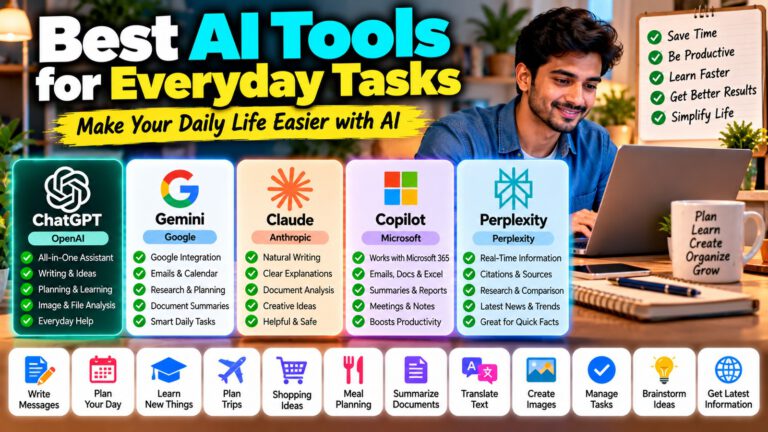
ChatGPT, Claude, and Gemini can combine research with writing and analysis.
Perplexity is especially focused on the research and source-discovery side, while other assistants may offer a broader workspace for turning those findings into documents and other outputs.
🔐 Research Accuracy and Source Verification
AI research can save significant time, but it does not eliminate the need for verification.
A research report can contain:
- Incorrect facts
- Outdated information
- Misinterpreted studies
- Missing context
- Weak sources
- Conflicting evidence
- Incorrect citations
A reliable workflow is:
AI search → Read sources → Check original evidence → Compare sources → Verify important claims → Write final report
Do not follow:
AI answer → Copy → Publish
For high-stakes topics, use primary sources whenever possible.
Examples include:
- Government websites
- Academic papers
- Official company documents
- Regulatory filings
- Original datasets
- Official documentation
💰 Best AI Research Tool on a Budget
You don’t always need a premium research plan.
For simple questions, standard web search may be enough.
For more complex research, paid research features can save considerable time.
When comparing plans, look at:
- Number of research queries
- Search limits
- Citation depth
- File uploads
- Available models
- Research speed
- Connected sources
- Export options
- Team features
A cheaper plan may be sufficient for occasional research, while professionals and researchers who perform complex research every day may benefit from higher limits.
🧩 How to Choose the Best AI Research Model
Ask these questions before choosing a research tool:
What type of research do you perform?
Academic, market, scientific, technical, competitor, news, or general research can require different tools.
Do you need current information?
If yes, live web search is essential.
Do you need academic papers?
Look for strong academic search and source-filtering capabilities.
Do you need citations?
Choose a workflow that provides direct source links or citations you can verify.
Do you work with PDFs?
Check file-upload and document-analysis capabilities.
Do you use Google Workspace?
Gemini can be useful when research needs to include supported Gmail or Drive sources.
Do you need research plus writing?
ChatGPT and Claude can be useful when you want to move from research into analysis and final content.
Do you perform scientific research?
Look for specialized scientific workflows and tools rather than relying only on general-purpose chat.
📊 AI Research Tools at a Glance
| Feature | ChatGPT Deep Research | Perplexity Research | Claude Research | Gemini Deep Research |
|---|---|---|---|---|
| 🌐 Web Research | Yes | Yes | Yes | Yes |
| 🔎 Multi-step Research | Yes | Yes | Yes | Yes |
| 📚 Source Citations | Yes | Yes | Yes | Yes |
| 📄 File Research | Yes | Yes | Yes | Yes |
| 📊 Structured Reports | Yes | Yes | Yes | Yes |
| 🧠 Research Planning | Yes | Yes | Yes | Yes |
| 🔗 Connected Sources | Supported apps | Files/apps in supported workflows | Supported integrations | Google sources |
| 📧 Gmail Research | Supported connected apps | Supported workflows | Supported integrations | Yes, when connected |
| ☁️ Drive Research | Supported connected apps | Supported workflows | Supported integrations | Yes, when connected |
| 🧪 Scientific Workflows | Yes | Yes | Specialized options | Yes |
| ✍️ Research + Writing | Strong | Strong | Strong | Strong |
| 📰 Current Information | Yes | Yes | Yes | Yes |
This is a capability comparison, not a ranking. Feature availability can vary by plan, region, account, and product version.
🎯 Final Thoughts
The best AI model for research depends on what you are researching and how you want to work.
ChatGPT Deep Research is useful when you want multi-step research combined with reasoning, document analysis, connected sources, and structured reports.
Perplexity Research is particularly focused on web search, source discovery, citations, and current information.
Claude Research is useful when research needs to be combined with detailed analysis, writing, document work, and broader Claude workflows.
Gemini Deep Research is especially interesting for people who already use Google’s ecosystem and want research connected to Google Search and supported Google sources.
For scientific research, specialized workflows such as Claude Science can provide additional research-oriented tools.
Instead of asking which tool is universally “the best,” test the same research question across two or three tools.
Compare:
- 🔎 Sources discovered
- 📚 Source quality
- 📌 Citation accuracy
- 🧠 Reasoning
- 📊 Data interpretation
- 📄 Document handling
- ⏱️ Research time
- ✍️ Final report quality
The best research workflow is the one that gives you reliable evidence, transparent sources, useful analysis, and a report you can independently verify.
❓ Frequently Asked Questions
What is the best AI model for research?
There is no single best model for every research task. ChatGPT Deep Research, Perplexity Research, Claude Research, and Gemini Deep Research all provide multi-step research capabilities, but their workflows and integrations differ.
Which AI is best for academic research?
AI research tools can help find and summarize academic literature, but researchers should verify every important paper, citation, methodology, and conclusion against the original source.
Is Perplexity good for research?
Yes. Perplexity is strongly focused on search, source discovery, citations, and research-oriented answers. Its Research and Pro Search modes are designed for more complex questions.
Is ChatGPT good for research?
Yes. ChatGPT provides web search for quick research and Deep Research for more complex multi-step investigations that require source gathering, analysis, and structured reports.
Is Claude good for research?
Yes. Claude provides Research for multi-step web research and can combine research with writing, document analysis, and other workflows.
Is Gemini good for research?
Yes. Gemini provides Deep Research for in-depth research and can use Google Search as well as supported connected sources such as Gmail and Drive.
Which AI is best for current information?
Tools with live web access are more suitable for current information than models relying only on static training data. Regardless of the tool, check the date and original source for rapidly changing information.
Can AI conduct academic literature reviews?
AI can help find papers, summarize research, compare findings, organize notes, and identify potential research gaps. However, a human researcher should verify the papers and critically evaluate the methodology and evidence.
Can AI research PDFs?
Yes. ChatGPT, Claude, Gemini, and other research tools can work with uploaded documents, subject to their respective file limits and plan capabilities.
Can AI replace a researcher?
AI can automate parts of the research process, but it should not replace human judgment. Researchers still need to evaluate source quality, methodology, evidence, uncertainty, and conclusions.
How do I get better AI research results?
Give the AI a specific research question, date range, target audience, preferred sources, geographic scope, and desired output format. Ask it to cite sources and identify uncertainties or information gaps.
Should I trust AI-generated research?
AI-generated research should be treated as a starting point rather than unquestionable fact. Always open the cited sources and verify important claims before using them in academic, business, financial, legal, medical, or other high-stakes work.