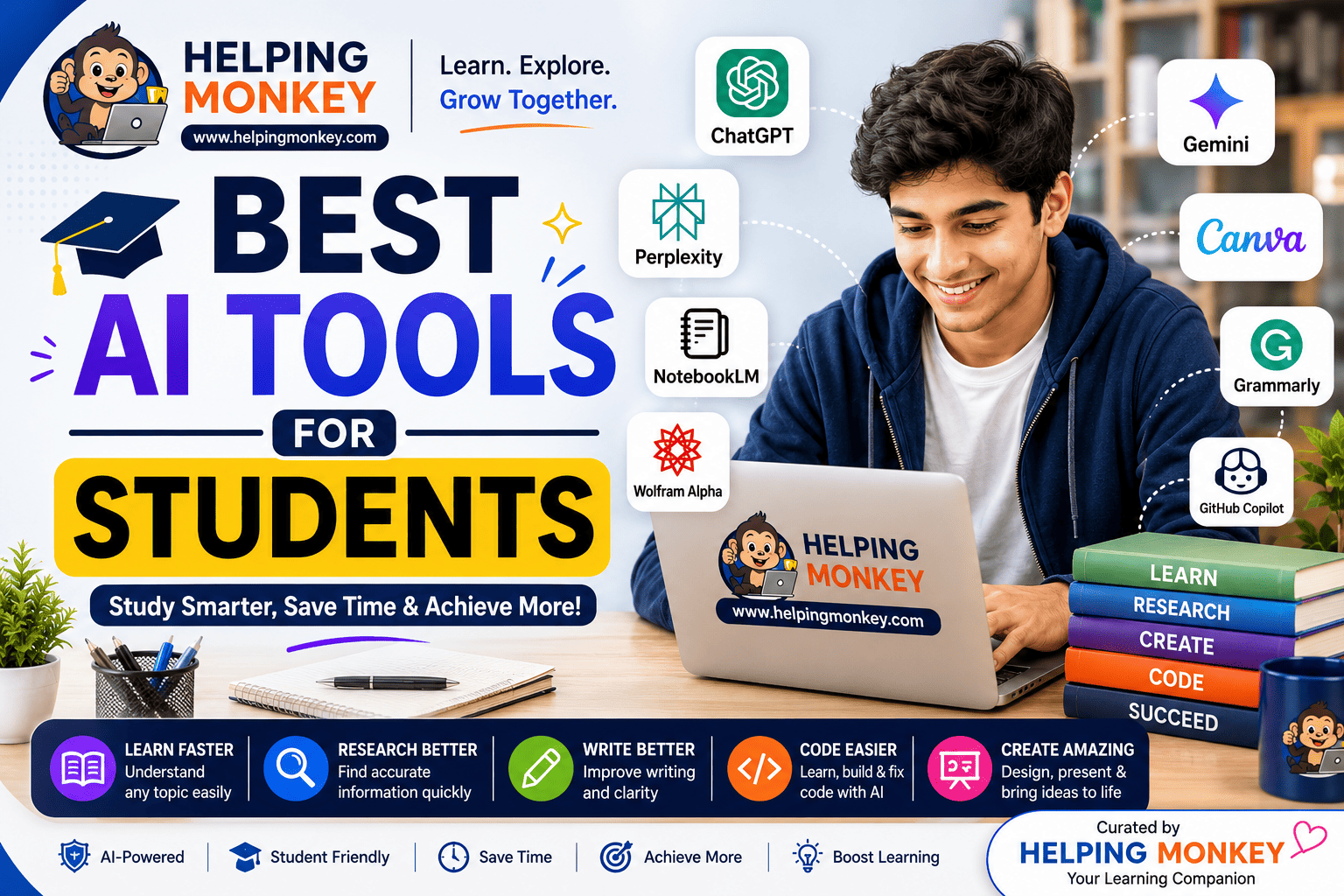
Best AI Tools for Students
Artificial intelligence is changing the way students study, research, write, code, and prepare for exams. The right AI tools can help you understand difficult topics, summarize notes, find useful information, improve your writing, practice coding, and organize your study time.
But with hundreds of AI tools available, choosing the right one can be confusing.
You don’t need to use every AI app you find. 🎯 You need to know which AI tool is best for the task you’re working on.
In this guide, we’ll explore the best AI tools for students in 2026, what each tool does best, its pros and cons, and how students can use AI effectively without becoming dependent on it.
🏆 Best AI Tools for Students at a Glance
| 🤖 AI Tool | 🎯 Best For | ⭐ Our Pick |
|---|---|---|
| ChatGPT | 📚 Studying, explanations & general learning | 🏆 Best Overall |
| Google Gemini | 🔎 Research & Google Workspace | 🌐 Best for Google Users |
| NotebookLM | 📄 Notes, PDFs & course material | 📚 Best Study Assistant |
| Perplexity | 🔍 Research & finding sources | 🔎 Best for Research |
| Claude | ✍️ Writing & complex reasoning | 📝 Best for Writing |
| Grammarly | ✏️ Grammar & proofreading | 📝 Best Writing Assistant |
| GitHub Copilot | 💻 Coding & programming | 💻 Best for Coding |
| Wolfram|Alpha | 🧮 Mathematics & science | 🔢 Best for Math |
| Canva AI | 🎨 Presentations & visual projects | 🎨 Best for Presentations |
| Quizlet | 🧠 Flashcards & revision | 🎯 Best for Exam Revision |
🎯 How We Selected These AI Tools
There are thousands of AI applications available, but not all of them provide real value for students.
We focused on tools that can help with common student activities such as:
- 📚 Studying and learning
- 📝 Writing and assignments
- 🔎 Research
- 🧠 Exam preparation
- 💻 Coding
- 🧮 Mathematics and science
- 🎨 Presentations
- 📄 Working with notes and documents
- ⚡ Productivity
- 🎯 Practice and revision
We also considered ease of use, usefulness for students, learning potential, and the availability of free or accessible options.
🤖 ChatGPT — Best Overall AI Tool for Students
ChatGPT is one of the most versatile AI tools available to students.
It can work as a personal tutor, brainstorming partner, writing assistant, coding helper, and exam-preparation companion.
📚 Students can ask it to explain difficult concepts in simple language.
🧠 It can create quizzes, practice questions, flashcards, and study plans.
💻 It can help students understand programming concepts and troubleshoot code.
✍️ It can provide feedback on writing, grammar, structure, and clarity.
💡 Instead of asking only for an answer, ask ChatGPT to explain why the answer is correct and then test your understanding.
💡 Example Prompt
“I’m a beginner learning cybersecurity. Explain what a Security Operations Center does in simple language, give me a real-world example, and then ask me five questions to test my understanding.”
🎯 Best For
- 📚 Learning difficult concepts
- 📝 Homework guidance
- 🧠 Exam preparation
- 💻 Coding
- 💡 Brainstorming
- 🎤 Interview preparation
- ✍️ Writing assistance
- ❓ Practice questions
✅ Pros & ❌ Cons
| ✅ Pros | ❌ Cons |
|---|---|
| 🚀 Extremely versatile | ⚠️ Can sometimes provide incorrect information |
| 🧠 Supports interactive learning | 💳 Some advanced features may require a paid plan |
| 📚 Useful across many subjects | 🔎 Important information still needs verification |
| 💻 Helpful for coding and writing | 🔄 Easy to become overly dependent on it |
| 🎯 Can generate personalized practice | 📖 AI responses aren’t automatically academic sources |
🏆 Best for: Students who want one AI assistant that can help with many different academic tasks.
✨ Google Gemini — Best for Google Users
Google Gemini is Google’s AI assistant and can be useful for students who already use Google’s ecosystem.
🔎 It can help students research topics and explore unfamiliar subjects.
📄 It can assist with document-based tasks and information organization.
💡 Students can use it for brainstorming, writing assistance, and learning activities.
🌐 Its connection with Google’s ecosystem can make it convenient for students who regularly use Google services.
🎯 Best For
- 🔎 Research
- 📚 Studying
- 📝 Writing
- 💡 Brainstorming
- 📄 Working with documents
- 🧠 Learning activities
- 🌐 Google ecosystem workflows
✅ Pros & ❌ Cons
| ✅ Pros | ❌ Cons |
|---|---|
| 🌐 Strong Google ecosystem integration | ⚠️ Responses can still contain errors |
| 🔎 Useful for research and brainstorming | 🌍 Features can vary by account or region |
| 📄 Helpful for document-based tasks | 🔄 Features can change over time |
| 💡 Convenient for Google users | 🔎 AI answers should still be verified |
🏆 Best for: Students who regularly use Google Docs, Drive, and other Google services.
📚 NotebookLM — Best AI for Studying Notes and PDFs
NotebookLM is especially useful when you already have your own study materials.
📄 You can work with lecture notes, PDFs, documents, research papers, and other sources.
📚 Instead of asking an AI about everything, you can focus your questions on the material you’re actually studying.
🧠 It can help turn your study materials into summaries, explanations, questions, and revision resources.
🎯 This makes it particularly useful before exams or when working through large amounts of course material.
🎯 Best For
- 📄 PDFs
- 📚 Lecture notes
- 🔬 Research papers
- 📝 Course materials
- 🧠 Revision
- ❓ Practice questions
- 📖 Study guides
💡 Example Prompt
“Create a seven-day revision plan from these notes and give me 20 questions to test my understanding.”
✅ Pros & ❌ Cons
| ✅ Pros | ❌ Cons |
|---|---|
| 📚 Excellent for personal study materials | 📄 Most useful when you have good source material |
| 📑 Useful for PDFs and notes | ⚠️ Source quality still matters |
| 🧠 Helps organize large amounts of information | 🎓 Not designed to replace a teacher |
| 🎯 Great for revision | 🔄 Some features may change over time |
🏆 Best for: Students who study from large numbers of PDFs, notes, textbooks, or research documents.
🔎 Perplexity — Best AI Tool for Research
Research can take hours when you don’t know where to start.
Perplexity combines AI with web search to help students explore topics and discover information and potential sources.
🔍 It can help you understand an unfamiliar subject quickly.
🌐 It can help identify websites, articles, and sources worth exploring.
📰 It can be useful when researching topics that require current information.
⚠️ However, students should never assume that an AI-generated citation is automatically correct.
Before using a source in an assignment, check:
- 👤 Author
- 📰 Publication
- 📅 Date
- 📊 Statistics
- 🔎 Original claim
- 📖 Context
🎯 Best For
- 🔎 Academic research
- 🌐 Web search
- 📑 Finding sources
- 📰 Current information
- 💡 Topic exploration
- 🔬 Research projects
✅ Pros & ❌ Cons
| ✅ Pros | ❌ Cons |
|---|---|
| ⚡ Fast research | 🔎 Search results still need verification |
| 📚 Useful for source discovery | ⚠️ AI summaries can contain mistakes |
| 💡 Good for exploring unfamiliar topics | 📖 Not every source is equally reliable |
| 📰 Helpful for current information | 🧠 Students shouldn’t rely on summaries alone |
🏆 Best for: Students who need to research topics and quickly discover useful sources.
✍️ Claude — Best for Writing and Complex Reasoning
Claude can be useful for students working on essays, reports, long documents, brainstorming, and complicated explanations.
📝 It can help organize ideas before you begin writing.
💡 It can help identify weaknesses in an argument.
📄 It can provide feedback on longer pieces of writing.
🧠 Students can use it as a writing coach instead of asking it to complete an assignment for them.
💡 Better Way to Use It
Instead of:
“Write my essay.”
Try:
“Review my essay and identify three areas where my argument could be stronger. Don’t rewrite it for me.”
This approach helps you improve your own writing.
🎯 Best For
- ✍️ Essays
- 📑 Reports
- 💡 Brainstorming
- 🧠 Complex explanations
- 📝 Writing feedback
- 📄 Long documents
✅ Pros & ❌ Cons
| ✅ Pros | ❌ Cons |
|---|---|
| ✍️ Strong writing assistance | ⚠️ Can still make factual mistakes |
| 📄 Good for long-form content | 🧠 Shouldn’t replace your own writing |
| 💡 Useful for brainstorming | 🎓 Academic rules may restrict AI-generated work |
| 🧠 Helpful for reasoning | 🔎 Important facts still need verification |
🏆 Best for: Students who want detailed writing feedback and help organizing complex ideas.
📝 Grammarly — Best AI Writing Assistant
Grammarly is designed to help improve written communication.
✏️ Students can use it to identify grammar mistakes and spelling errors.
📖 It can help make sentences clearer and easier to understand.
📑 It can be useful when reviewing essays, reports, emails, and applications.
💡 A good approach is to write your work yourself first and then use Grammarly as a proofreading assistant.
🎯 Best For
- 📝 Essays
- 📚 Assignments
- 📧 Emails
- 📑 Reports
- 🎓 Applications
- ✍️ Proofreading
✅ Pros & ❌ Cons
| ✅ Pros | ❌ Cons |
|---|---|
| 👍 Easy to use | 💳 Some advanced features require payment |
| ✍️ Helpful grammar suggestions | ⚠️ Suggestions aren’t always perfect |
| 📖 Improves clarity | 🎯 It may sometimes change your intended tone |
| 📝 Useful for academic writing | 🧠 Not a replacement for learning grammar |
🏆 Best for: Students who want to make their writing clearer, cleaner, and more professional.
💻 GitHub Copilot — Best AI Tool for Coding Students
Programming students can use GitHub Copilot to assist with coding, debugging, code completion, and understanding programming concepts.
💻 It can suggest code while you work.
🐛 It can help identify possible causes of coding errors.
📖 Students can ask for explanations of unfamiliar code.
🧠 It can be useful while learning programming languages and working on projects.
💡 Example Prompt
“Explain why this Python function is producing this error and show me how I can debug it.”
⚠️ Don’t blindly copy AI-generated code.
Always:
- 🧪 Test the code
- 🔍 Check for errors
- 🔐 Consider security
- 🧠 Understand how it works
- 📚 Learn the underlying concept
🎯 Best For
- 💻 Programming
- 🐛 Debugging
- ⚙️ Code completion
- 📖 Understanding code
- 🧑💻 Software projects
- 🧠 Learning programming
✅ Pros & ❌ Cons
| ✅ Pros | ❌ Cons |
|---|---|
| ⚡ Speeds up coding | 🐛 Generated code can contain bugs |
| 🐞 Useful for debugging | 🔄 Students may become dependent on it |
| 📖 Helps explain code | 🔐 It doesn’t guarantee secure code |
| 💻 Useful for programming projects | 🧠 You still need programming fundamentals |
🏆 Best for: Computer science, engineering, and programming students.
🧮 Wolfram|Alpha — Best for Mathematics and Science
Wolfram|Alpha is a computational tool that can be useful for mathematics, science, engineering, and technical subjects.
➗ It can help with mathematical calculations.
📐 It can be useful for algebra, calculus, and other mathematical topics.
📊 It can support statistics and data-related calculations.
🔬 STEM students can use it as a computational companion while learning.
🎯 Best For
- ➗ Algebra
- 📐 Calculus
- 📊 Statistics
- ⚛️ Physics
- 🔬 Science
- 🏗️ Engineering
- 🧮 Mathematical calculations
✅ Pros & ❌ Cons
| ✅ Pros | ❌ Cons |
|---|---|
| 🧮 Powerful computational capabilities | 🎓 Best suited to technical subjects |
| 📐 Useful for complex calculations | 🧠 Students still need to understand the concepts |
| 🔬 Helpful for STEM subjects | 💳 Some features may require payment |
| ✅ Useful for checking calculations | 👨🏫 Not a replacement for a teacher |
🏆 Best for: Mathematics, engineering, science, and other STEM students.
🎨 Canva AI — Best for Presentations and Visual Projects
A good academic presentation isn’t just about having correct information. It also needs clear visual communication.
Canva’s AI-powered features can help students create presentations, posters, infographics, diagrams, and other visual projects.
🎤 Students can create presentation layouts.
🎨 They can design posters and project covers.
📊 They can turn information into visual content.
🖼️ They can create graphics for school and college projects.
🎯 Best For
- 🎤 Presentations
- 🎨 Posters
- 📊 Infographics
- 📚 School projects
- 🎓 College projects
- 🖼️ Visual assignments
✅ Pros & ❌ Cons
| ✅ Pros | ❌ Cons |
|---|---|
| 🎨 Easy to create visual content | 🔄 Templates can make projects look generic |
| 👍 Beginner-friendly | ✏️ AI-generated content still needs editing |
| 🎤 Useful presentation templates | 💳 Some premium elements require payment |
| 📊 Great for visual projects | 🧠 Design doesn’t replace good content |
🏆 Best for: Students who regularly create presentations, posters, and visual projects.
🧠 Quizlet — Best for Flashcards and Exam Revision
Quizlet is useful for students who learn effectively through flashcards, repetition, and practice.
🧠 You can use flashcards to memorize definitions and concepts.
🔁 Repeated practice can help reinforce information.
📖 It can be useful for vocabulary and terminology.
🎯 Students can use it as part of an exam revision routine.
🎯 Best For
- 🧠 Flashcards
- 📖 Memorization
- 📝 Revision
- 🎯 Exam preparation
- 🌐 Vocabulary
- ❓ Practice
✅ Pros & ❌ Cons
| ✅ Pros | ❌ Cons |
|---|---|
| 🔁 Great for repeated practice | 🧠 Less useful for deep conceptual learning |
| 🃏 Easy flashcard-based revision | 💳 Some features may be limited by plan |
| 🌐 Useful for vocabulary | 📚 Students still need broader study methods |
| 🎯 Good for exam preparation | ⚠️ Quality depends on the study material |
🏆 Best for: Students preparing for exams that require memorization and repeated practice.
📊 Best AI Tools for Students by Task
Choosing an AI tool becomes easier when you start with the task instead of the brand.
| 🎯 What You Need | 🏆 Recommended Tool |
|---|---|
| 📚 General study help | ChatGPT |
| 📄 Study your own PDFs | NotebookLM |
| 🔎 Research a topic | Perplexity |
| ✍️ Improve essays | Claude |
| 📝 Fix grammar | Grammarly |
| 💻 Learn coding | GitHub Copilot |
| 🧮 Solve math problems | Wolfram|Alpha |
| 🎨 Create presentations | Canva |
| 🧠 Memorize information | Quizlet |
| 🌐 Google-based productivity | Gemini |
🆓 Best Free AI Tools for Students
Many popular AI tools offer free access, free tiers, or free features, although limits and available features can change.
A good starting toolkit includes:
- 🤖 ChatGPT — General learning and study help
- ✨ Gemini — Research and productivity
- 📚 NotebookLM — Notes and PDFs
- 🔎 Perplexity — Research
- 📝 Grammarly — Writing and proofreading
- 🎨 Canva — Presentations and visual projects
💡 Tip: You don’t need to subscribe to multiple AI tools just because they’re popular.
Start with free options and upgrade only when you actually need a specific feature.
🎓 Best AI Tools for College Students
College students often need to manage multiple types of academic work at the same time.
| 🎓 College Task | 🤖 Recommended AI |
|---|---|
| 📚 Understand lectures | ChatGPT |
| 📄 Study PDFs | NotebookLM |
| 🔎 Research projects | Perplexity |
| ✍️ Write and review essays | Claude |
| 📝 Grammar and proofreading | Grammarly |
| 💻 Programming | GitHub Copilot |
| 🧮 Mathematics | Wolfram|Alpha |
| 🎨 Presentations | Canva |
| 🧠 Revision | Quizlet |
💡 For engineering and computer science students, coding assistants can be particularly useful.
🔎 For research-heavy assignments, research-focused AI tools can save time during the information-gathering stage.
📚 For exams, combining AI explanations with active practice is generally more useful than simply reading AI-generated summaries.
🇮🇳 Best AI Tools for Indian Students
AI can be useful for students across different academic paths in India.
Students may use AI for:
- 🎓 College assignments
- 💻 Engineering and computer science
- 📚 JEE preparation
- 🧬 NEET preparation
- 🏛️ UPSC preparation
- 📊 CAT preparation
- 💼 Placement preparation
- 💻 Coding interviews
- 🗣️ English communication
- 🔬 Research projects
📌 However, always check official exam websites, university guidelines, and current syllabi for important information.
🧠 How to Use AI Without Cheating
AI can make studying easier, but using it incorrectly can hurt your learning.
The goal is simple:
Use AI to learn — not to avoid learning.
✅ Good Uses of AI
- 📚 Ask for explanations
- ❓ Generate practice questions
- ✍️ Get feedback on your writing
- 📅 Create revision plans
- 🎤 Practice interviews
- 🐛 Debug your code
- 📄 Summarize your own notes
- 💡 Brainstorm ideas
- 🔎 Find areas you don’t understand
❌ Risky Uses of AI
- 🚫 Submitting AI-generated assignments as your own
- 📋 Copying answers without understanding them
- ❌ Using fake AI-generated references
- 🔎 Avoiding your own research
- 🔄 Depending on AI for every homework problem
🎓 Always follow your school’s or university’s academic-integrity rules.
💡 How to Write Better AI Prompts for Studying
The quality of your prompt can make a big difference.
Instead of:
“Explain cybersecurity.”
Try:
“I’m a beginner learning cybersecurity. Explain what a Security Operations Center does in simple language, give me a real-world example, and then ask me five questions to test my understanding.”
A useful student prompt usually includes:
- 🎓 Your level — Beginner, intermediate, or advanced
- 🎯 Your goal — What you want to accomplish
- 📚 Context — What you’re currently studying
- 📝 Format — Table, bullets, examples, quiz, or explanation
- 🧠 Difficulty — How simple or detailed you want the answer
🎯 Example
“I’m a first-year computer science student preparing for an exam on computer networks. Explain TCP vs UDP in simple terms, create a comparison table, and give me 10 multiple-choice questions.”
⚡ Do Students Really Need 10 AI Tools?
No. You don’t need to use every AI tool available.
For most students, a small collection of tools is enough.
🏆 A Simple Student AI Toolkit
🤖 ChatGPT → Learn and understand
📚 NotebookLM → Study your notes
🔎 Perplexity → Research
📝 Grammarly → Improve writing
💻 GitHub Copilot → Code
🎨 Canva → Create presentations
🎯 Start with the tools that solve your actual problems instead of collecting dozens of AI apps.
🌟 Benefits of AI Tools for Students
When used responsibly, AI can provide several benefits.
- 🎯 Personalized learning: Get explanations based on your current knowledge level.
- ⚡ Faster revision: Turn large amounts of material into summaries, questions, and revision exercises.
- 🧠 Better practice: Generate questions and test your understanding instead of simply rereading notes.
- 💬 Immediate feedback: Ask why an answer is incorrect and explore alternative explanations.
- ⏱️ Improved productivity: Reduce time spent on repetitive tasks such as organizing notes and proofreading.
- 🌍 Accessible learning: Ask for simple explanations, examples, translations, and alternative ways to understand difficult topics.
- 💡 More curiosity: Explore subjects beyond what you learn in the classroom.
⚠️ Limitations of AI Tools for Students
AI is powerful, but it isn’t perfect.
It can sometimes:
- ❌ Give incorrect information
- ❌ Misunderstand a question
- ❌ Provide outdated information
- ❌ Generate inaccurate citations
- ❌ Produce convincing but false answers
- ❌ Oversimplify complicated subjects
- ❌ Reflect errors or weaknesses in the information it was trained on
🔎 That’s why critical thinking is still essential.
📚 For important academic work, verify information using reliable and original sources.
🔐 Student Privacy and AI
Before uploading notes, assignments, or documents to an AI service, think about what information the file contains.
🔒 Avoid sharing:
- 🔑 Passwords
- 🪪 Government identification numbers
- 💳 Financial information
- 👤 Account credentials
- 📄 Confidential documents
- 🏠 Private personal information
- 🎓 Sensitive academic records
🛡️ When possible, remove unnecessary personal information before uploading documents.
❓ Frequently Asked Questions
❓ What is the best AI tool for students in 2026?
There isn’t one AI tool that is best for every student. 🤖 ChatGPT is a strong all-purpose option, while 📚 NotebookLM is excellent for studying personal materials and 🔎 Perplexity is useful for research.
❓ What is the best free AI tool for students?
Several popular AI platforms provide free access or free tiers. 🆓 ChatGPT, Gemini, NotebookLM, Perplexity, Grammarly, and Canva can all be useful starting points. Free features and usage limits can change over time.
❓ Which AI is best for studying?
📚 ChatGPT is useful for interactive explanations and practice, while NotebookLM is particularly useful for studying your own PDFs, notes, and course materials.
❓ Which AI is best for research?
🔎 Perplexity is useful for discovering information and potential sources. Always open and verify the original sources before using them in academic work.
❓ Which AI is best for coding students?
💻 GitHub Copilot can assist with programming, code completion, debugging, and understanding code. Students should always test and understand generated code.
❓ Can AI help students prepare for exams?
🎯 Yes. AI can help create study plans, explain difficult concepts, generate practice questions, summarize notes, and simulate quizzes.
❓ Can AI replace teachers?
👨🏫 No. AI can provide explanations and practice, but teachers offer human judgment, personalized feedback, mentorship, and support that AI cannot fully replace.
❓ Is it okay to use AI for college assignments?
🎓 It depends on your institution and instructor’s rules. AI may be allowed for brainstorming, proofreading, or learning but prohibited for submitting AI-generated work. Always follow your institution’s academic-integrity policy.
❓ How can students use AI responsibly?
🧠 Use AI to understand concepts, practice, brainstorm, and improve your work. 🔎 Verify important information, follow academic rules, protect your personal information, and make sure you understand the final work yourself.